Rankevra Blog
Internal Linking Tool: The Evaluation Framework That Matters
July 29, 2026
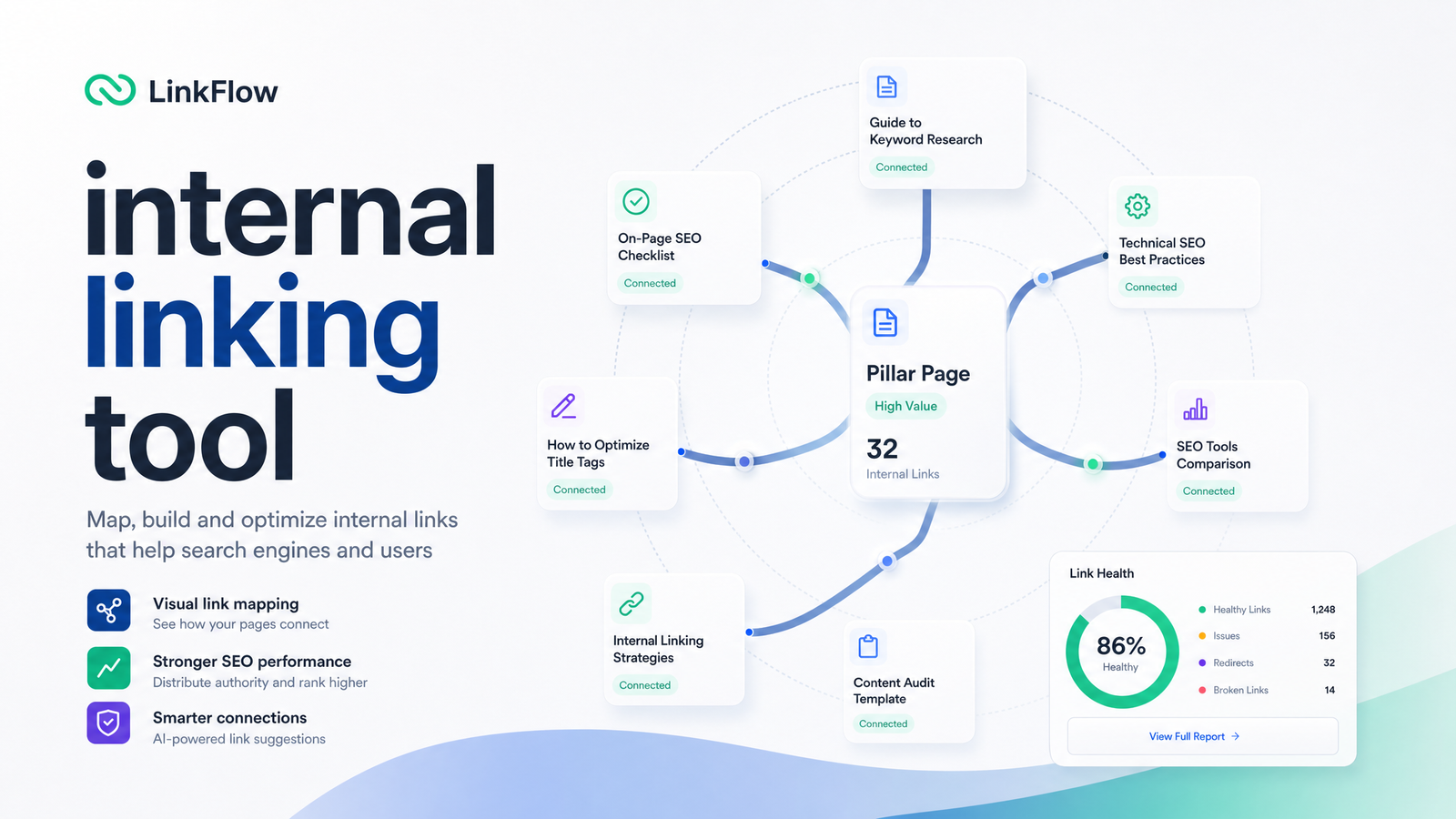
Most sites don't lose rankings because of one bad internal linking decision — they lose them slowly, as hundreds of new pages get published without being woven back into the rest of the site. An internal linking tool exists to stop that slow leak: it crawls your site, maps what's already connected, flags what's been left behind, and — in more advanced platforms — suggests and applies the fix automatically. This article breaks down what that category actually does, how to evaluate one against real criteria, and how to run internal linking as a standing part of your publishing workflow instead of a once-a-year cleanup project.
What an Internal Linking Tool Actually Does
A generic "SEO tool" checks a wide range of things — meta tags, page speed, keyword rankings. An internal linking tool has a narrower, deeper job: understanding how pages on your site connect to each other and where those connections are missing.
Concretely, it should:
- Crawl the full site to build a map of every internal link, not just the ones you remember adding.
- Suggest new contextual links between topically related pages that aren't yet connected — ideally using semantic understanding of content, not just exact keyword matching.
- Flag orphan and under-linked pages — pages with zero or very few inbound internal links, which are hard for both users and search engines to find.
- Report on anchor text patterns across the site, so you can see when you're leaning too hard on one phrase.
- Measure click depth — how many clicks it takes to reach a page from the homepage — since pages buried deep in the architecture tend to get crawled and ranked less often.
This is what separates automated internal linking from manually skimming a sitemap once a quarter: the tool is continuously aware of your content graph, catching drift as soon as it happens rather than months later. It's distinct from a rank tracker (which watches keyword positions) or a general site audit tool, which checks link health alongside dozens of unrelated technical factors like broken links, redirects, and crawl errors.
Why Internal Linking Gets Neglected as Sites Grow
Internal linking problems rarely show up as a single dramatic failure — they accumulate. A content team publishes a new article, links it to two or three obvious related posts, and moves on. Six months and forty articles later, nobody remembers which older pages that new content should have pointed back to, and nobody goes back to update them.
The result is orphan pages. Research on large-site internal linking has found orphan pages are a widespread and persistent problem, and that click depth is directly tied to crawl frequency and ranking risk — pages buried more than three or four clicks from the homepage get crawled less and rank worse, according to the analysis in Digital Applied's large-site internal linking guide. This is link neglect in action: not a mistake at any single point, but a system with no feedback loop.
Internal linking for SEO isn't just about helping crawlers find pages — it's how you tell search engines (and readers) which topics you consider connected and authoritative. Every time a new post ships without being cross-linked into existing content clusters, you're diluting the topical signal you've spent months building. If you're structuring content hubs deliberately, this is exactly the problem addressed in pillar-cluster site architecture — internal linking is the connective tissue that makes that architecture actually function, rather than just existing as a diagram.
What to Look For in an Internal Linking Tool
Not all tools that claim to handle internal linking do it at the same depth. Use this checklist when evaluating one:
Full-site crawl and orphan detection. The tool should independently crawl your entire site and identify pages with no or minimal inbound internal links — not rely on you to submit a list of URLs. A true orphan page finder surfaces pages you didn't know existed in isolation.
Contextual, semantic suggestions — not just keyword matching. A basic internal link audit tool might suggest linking two pages because they share a keyword. A stronger one understands topical relationships even when phrasing differs, producing more natural, higher-value links rather than forced ones.
Anchor text variety tracking. If every internal link pointing to your pricing page uses the exact phrase "best SEO software," that pattern reads as manipulative rather than natural — to both readers and search engines. Anchor text optimization means tracking the mix of exact-match, partial-match, branded, and generic anchors across your site and flagging when one type dominates. Industry data compiled in ecorpit.com's internal linking tools roundup points to healthier link profiles using a deliberate mix rather than repeated exact-match phrases.
Click-depth reporting. You want visibility into how many clicks separate your homepage from every other page on the site, with alerts when important pages sit too deep in the structure.
CMS and publishing integration. A tool that only works as a bolt-on report is less useful than one that plugs into your actual publishing process, so linking suggestions appear when content is created — not weeks later.
Ongoing monitoring, not a one-time scan. This is the difference that matters most. A single audit gives you a snapshot; a monitoring system tells you when a newly published page has gone unlinked for two weeks. For the on-page factors internal linking sits alongside, the 7-category on-page audit checklist is a useful companion reference.
Manual Audits vs. Plugins vs. Integrated Automation
Teams generally take one of three paths, and each comes with a real tradeoff.
Manual, spreadsheet-based audits. Someone crawls the site with a general-purpose crawler, exports the link data, and manually reviews it in a spreadsheet to spot orphans and thin-linked pages. This works for small sites and gives full control, but it doesn't scale — the review must be repeated manually each time, and it's usually done too infrequently to catch link neglect before it compounds.
Standalone internal linking plugins. Tools built specifically for internal linking — the Link Whisper-style category — automate suggestion generation and are faster than spreadsheets. But a plugin only knows what's in your CMS. It typically doesn't share data with your broader technical audit, content briefs, or rank tracking, so you're still manually reconciling insights across separate dashboards. This is the internal linking plugin vs. software question teams often get stuck on: a plugin solves the linking task in isolation, but you still own the integration work between tools.
Integrated AI SEO platforms. A platform that already crawls your site for technical audits, tracks rankings, and manages content publishing can apply internal linking suggestions using data it already has — the audit that found the orphan page, the content brief describing the topic, and the anchor text history all live in one place. Internal linking software of this kind doesn't need to re-crawl or re-guess your site structure separately, because it's the same system generating the content and tracking its performance.
The real question isn't plugin vs. spreadsheet — it's whether you want to maintain a separate internal linking tool alongside your audit and content tools indefinitely, or fold it into a workflow that already has the underlying data.
How to Put an Internal Linking Tool Into a Real Workflow
Treat internal linking as a maintenance cycle, not a project with an end date.
- Run an initial full audit to establish a baseline — every orphan page, every page buried more than three clicks deep, current anchor text distribution.
- Fix the highest-impact gaps first. Prioritize orphan pages with commercial or high-search-volume topics, and pages only one or two links away from being well-connected.
- Apply anchor text variety rules as you go — cap how often any single phrase is used and rotate in branded, partial-match, and natural-language anchors.
- Re-check after every published page, not on a fixed calendar. New content is exactly when links get missed, so the check needs to happen at publish time, ideally automatically.
- Review click depth quarterly to catch structural drift as the site's navigation and category pages evolve.
This is also where internal linking overlaps with adjacent technical checks worth running alongside it — log file analysis to confirm which pages are actually being crawled, and a canonical tag audit to make sure you're not internally linking to duplicate or non-canonical URLs. Internal linking is also one input into broader content optimization work, not a standalone task disconnected from how content gets written and updated.
Automated internal linking earns its keep exactly at step 4: removing the manual re-check that most teams skip once publishing volume picks up.
Frequently Asked Questions
Is an internal linking tool the same thing as a rank tracker or site audit tool?
No. A rank tracker monitors keyword positions over time, and a site audit tool checks a broad range of technical factors — page speed, broken links, indexability, and more. An internal linking tool focuses specifically on how pages connect to each other: mapping links, finding orphans, and suggesting contextual connections. Some are standalone; others are modules inside a broader SEO platform.
How many internal links should a page have?
There's no fixed universal number, but guidance from Shopify's internal linking best practices suggests every important page should have enough inbound internal links that it's reachable within a few clicks from the homepage and connected to at least a handful of topically related pages. The priority is relevance and reachability, not hitting a specific link count.
Can an internal linking tool fix orphan pages automatically?
Most tools detect orphan pages automatically but apply the fix with a suggestion you approve, rather than editing content unsupervised. More integrated platforms can insert contextual links directly during publishing or content updates, reducing manual work while still keeping suggestions reviewable.
Do internal linking tools work for non-WordPress sites?
Yes, provided the tool crawls your site directly rather than relying on a CMS-specific plugin. Crawl-based internal linking tools work on any platform — WordPress, Shopify, custom-built sites — because they analyze the rendered site rather than plugging into a specific backend.
Does internal linking still matter now that Google uses AI to understand content?
Yes — arguably more than before. AI-driven search systems still rely on link structure to understand topical relationships and page importance, and a well-linked site improves the odds of being cited accurately by AI answer engines, a pattern noted in recent internal linking tool comparisons. Internal links remain one of the clearest on-page signals of which topics you consider connected and authoritative.
How often should I re-run an internal linking audit?
Ideally, checks happen continuously rather than on a fixed schedule — every time new content is published. If that's not feasible, a full audit at least quarterly, with orphan checks after every batch of new content, keeps link neglect from compounding.
Running a spreadsheet crawl every few months, or maintaining a separate linking plugin alongside your audit and content tools, means constantly reconciling data that lives in different places. An integrated approach skips that reconciliation because the audit, the content, and the linking suggestions all come from the same system. Rankevra builds automated internal linking into its full AI SEO workflow — audits, content creation, publishing, and rank tracking — so you're not running a separate internal linking tool on the side just to keep your site's link structure from quietly falling behind.
Keep reading
- Crawl Budget Optimization: A Diagnostic Framework for 2026Learn whether crawl budget optimization actually applies to your site, how to diagnose crawl waste in GSC, and a prioritized fix list for 2026.
- Multilingual SEO Strategy: Skip the Hreflang TrapA practical multilingual SEO strategy that treats hreflang as insurance, not a growth lever — plus how to automate audits, content, and tracking per locale.
- Will Google Penalize AI Content in 2026? The Real AnswerDoes AI content detection SEO actually affect rankings? Here's what Google's spam policies and the March 2026 core update really show.