Rankevra Blog
Sitemap.xml Not Indicated in Robots.txt: Fix It in Minutes
July 31, 2026
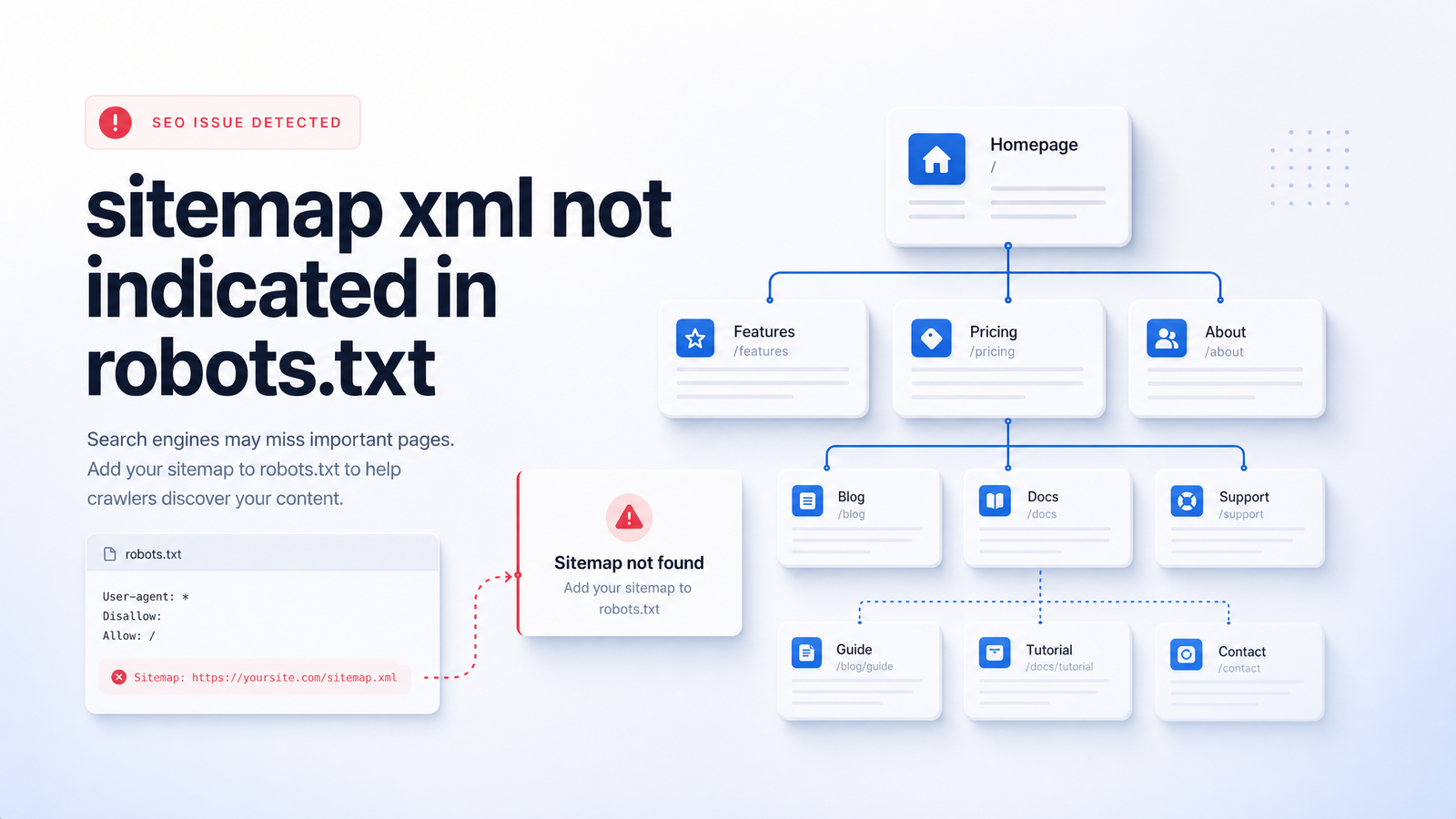
Your site audit just flagged "sitemap.xml not indicated in robots.txt," and now you're wondering if you've been sabotaging your own crawl budget for months. You haven't — but you should still fix it. Here's the calibrated version: this warning points to a real gap, it's worth closing, and it takes about two minutes once you know the syntax.
What "Sitemap.xml Not Indicated in Robots.txt" Actually Means
Robots.txt and your XML sitemap do two different jobs. Robots.txt tells crawlers like Googlebot which paths they're allowed or disallowed from requesting. Your sitemap lists the URLs you want indexed, often bundled into a sitemap index file if the site is large. They're not required to reference each other — but they can, and that's where this warning comes from.
Audit tools such as Semrush, Ahrefs, and Sitechecker crawl your robots.txt file looking for a line that starts with Sitemap: followed by the full URL of your sitemap. When that line is missing, the tool logs a warning. It's not detecting a broken sitemap or a crawl error — it's simply noting that one common discovery signal, the robots.txt sitemap directive, isn't present. The directive is just a convenient pointer that lives in a file crawlers already check on nearly every visit.
Is This Actually a Problem? (The Honest Answer)
The straight answer, grounded in Google's own documentation: adding a sitemap reference to robots.txt is a recommended practice, not a ranking factor. Google's sitemap documentation is explicit that this is one of several valid submission methods, and that referencing it anywhere Google will find it — including robots.txt — is a hint for discovery, not a guarantee of indexing or a signal that boosts rankings.
So, is sitemap not in robots.txt a big deal? Not on its own. If you've already completed sitemap submission through Google Search Console, Googlebot already knows your sitemap exists and revisits it regularly. The robots.txt line becomes a secondary discovery path — useful for other crawlers (Bing Webmaster Tools included) that may not have a submission on file, and useful as a fallback if your Search Console property ever gets reset.
The honest framing: this is a free, near-zero-effort win, not an emergency. It won't move rankings by itself, but it costs nothing to add, helps less-common crawlers find your content faster, and removes one recurring red flag from every future audit report. Fix it because it's easy and correct, not because it's urgent.
How to Fix It: Add the Sitemap Line to Robots.txt
Adding a sitemap to robots.txt is one of the simplest technical SEO fixes you'll ever make.
1. Locate your robots.txt file. It lives at your domain root — https://yourdomain.com/robots.txt. Access it through your CMS's SEO plugin, your hosting file manager, or direct FTP access, depending on your setup.
2. Use the correct syntax. The robots.txt sitemap directive follows this exact pattern:
Sitemap: https://yourdomain.com/sitemap.xml
No quotation marks, no trailing slash issues, no wildcard characters. The URL must be fully-qualified: include the https:// protocol and full domain, never a relative path like /sitemap.xml alone. Per Google's robots.txt specification, an incomplete or relative URL simply won't be honored.
3. Placement rules. Unlike Disallow or Allow rules, the Sitemap directive isn't tied to any particular User-agent block. You can place it at the top, bottom, or between blocks — crawlers parse it independently of user-agent groupings. Most site owners add it either at the top for visibility or right after the last user-agent block, purely as convention.
4. Multiple sitemaps or a sitemap index. If your site uses a sitemap index file (common for larger sites splitting content by type — pages, posts, products, images), you can either point directly to the index file or list multiple Sitemap lines, one per file:
Sitemap: https://yourdomain.com/sitemap_index.xml
Sitemap: https://yourdomain.com/sitemap-posts.xml
Sitemap: https://yourdomain.com/sitemap-products.xml
Google and other major search engines explicitly support multiple sitemap lines in a single robots.txt file, so there's no risk in listing several if your platform generates them separately rather than nesting them under one index.
For a broader look at how these two files should work together, see our guide on XML sitemap and robots.txt best practices.
Fixing It on WordPress, Shopify, and Other CMS Platforms
Most self-managed sites run on a CMS, and the fix looks different depending on how much control you have over the file itself.
WordPress with Yoast SEO or similar plugins: If you're seeing sitemap not indicated in robots.txt on WordPress despite running Yoast, check your configuration — Yoast automatically appends the Sitemap directive to your virtual robots.txt output once its XML sitemap feature is enabled. If the line still isn't showing, the most common cause is a manually created, physical robots.txt file in your site's root directory overriding Yoast's virtual version. WordPress only generates a virtual robots.txt when no physical file exists; if a static one was uploaded, Yoast's automatic Sitemap line never reaches it. Delete the static file or manually add the Sitemap line to it, and the fix will stand.
Shopify and other hosted platforms: Many hosted platforms generate a virtual robots.txt you can't directly edit via FTP. Shopify allows customization through a robots.txt.liquid template, where you can explicitly add or confirm the Sitemap line. Check your platform's documentation for the equivalent mechanism before assuming you're stuck — most modern platforms provide some editable layer even without full file access.
Static sites and custom builds: You'll typically edit the file directly, either through your code repository or hosting file manager, following the syntax above.
How to Verify the Fix Worked
After editing, confirm the fix actually took before moving on.
- Reload robots.txt directly in your browser at
yourdomain.com/robots.txtand confirm the Sitemap line appears with the correct, fully-qualified URL. - Re-run your audit tool (Semrush Site Audit, Ahrefs, or whichever flagged it originally) to confirm the warning has cleared.
- Check Google Search Console's Sitemaps report to confirm your sitemap is still listed as "Success" and being read — this is the stronger signal that Google is receiving your URLs regardless of the robots.txt line.
If the warning still shows up after you've made the edit, check these common culprits: browser or CDN caching serving a stale version of robots.txt (try a hard refresh or incognito window), a typo in the URL path, the sitemap URL itself returning a 404 or being blocked by a Disallow rule elsewhere in the file, or a static robots.txt overriding your plugin's virtual output. A blocked or broken sitemap link is more serious than a missing directive, since it means Googlebot can't read your sitemap at all once it does find it.
Understanding how crawlers actually process these signals helps here — our piece on how Googlebot discovers and crawls sites goes deeper on that mechanism.
Stop Fixing These One at a Time
This warning rarely travels alone. Broken internal links, missing alt text, duplicate title tags, orphaned pages, slow-loading resources — they all tend to show up in the same audit report, and each one asks you to open a different file, plugin, or dashboard to fix it. That's the real cost of self-managed SEO: not any single fix, but the accumulated hours spent context-switching between an audit tool, a robots.txt editor, an FTP client, and Search Console just to close out a punch list.
Rankevra's automated audit runs the same checks your current tools do — including this one — but doesn't stop at the report. Its AI SEO audit workflow identifies the missing Sitemap directive, generates the corrected line, and can implement it directly, without you opening FTP or hunting for the right plugin setting. It's built for exactly the class of issue this article covers: correct, low-effort, easy to overlook, and tedious to fix by hand across dozens of pages and settings.
For a broader framework on triaging which technical issues deserve attention first, read how to fix technical SEO issues with a priority action plan. And if you found this warning through a site audit tool in the first place, our guide on what a site audit tool checks walks through everything else it's likely flagging alongside it.
Frequently Asked Questions
Is "sitemap.xml not indicated in robots.txt" actually hurting my rankings?
No — it's not a ranking factor. Google's own documentation confirms referencing a sitemap in robots.txt is a discovery hint, not a signal that affects rankings. It's worth fixing because it's free and easy, but it isn't causing ranking loss on its own.
Do I still need to add my sitemap to robots.txt if I already submitted it in Google Search Console?
Yes, though it's lower priority once Search Console submission is done. Google already knows your sitemap's location and crawls it regularly, but adding the robots.txt line helps other crawlers, like Bing's, that may not have a separate submission on file, and it acts as a fallback discovery path.
Where exactly should the Sitemap line go in my robots.txt file?
Anywhere in the file — it isn't tied to any specific User-agent block. You can place it at the top, bottom, or between blocks, since crawlers parse the Sitemap directive independently of user-agent groupings.
Can I list more than one sitemap in robots.txt?
Yes, robots.txt supports multiple Sitemap lines, one per file. This is common for sites using separate sitemaps for posts, pages, and products, or you can simply point to a single sitemap index file that references them all.
Why does my audit tool keep flagging this after I already added the sitemap line?
The most likely causes are caching serving a stale robots.txt, a typo in the fully-qualified URL, or a static robots.txt file overriding your plugin's automatic output. Reload the live file in your browser first to confirm the change actually published before re-running the audit.
Does WordPress or Yoast add the sitemap to robots.txt automatically?
Yes, Yoast SEO automatically appends the Sitemap directive to WordPress's virtual robots.txt once its XML sitemap feature is enabled. This only fails if a manually uploaded, static robots.txt file exists in your site root, which overrides WordPress's virtual version and blocks Yoast's automatic insertion.
Ready to stop hunting for one-line fixes manually? Rankevra flags this warning and every other technical SEO issue automatically, then can implement the fix directly — no FTP, no plugin settings, no juggling five tools to close one audit report.
Keep reading
- Ecommerce Category Page SEO: Fix Thin Content &Ecommerce category page SEO framework: diagnose thin content, faceted filter bloat, and cannibalization with one triage sequence that scales.
- Log File Analysis SEO: From Raw Data to Ranked FixesAdvanced log file analysis SEO: verify Googlebot, segment AI crawlers, and turn crawl anomalies into a prioritized fix list — without manual parsing.
- Content Gap Analysis Automation: From Report to Ranked PageLearn how AI automates content gap analysis end-to-end — from data pull to published, ranking page — without spreadsheets or tool-switching.