Rankevra Blog
Redirect Chain Audit: Find, Fix & Prevent Link Leaks
September 25, 2026
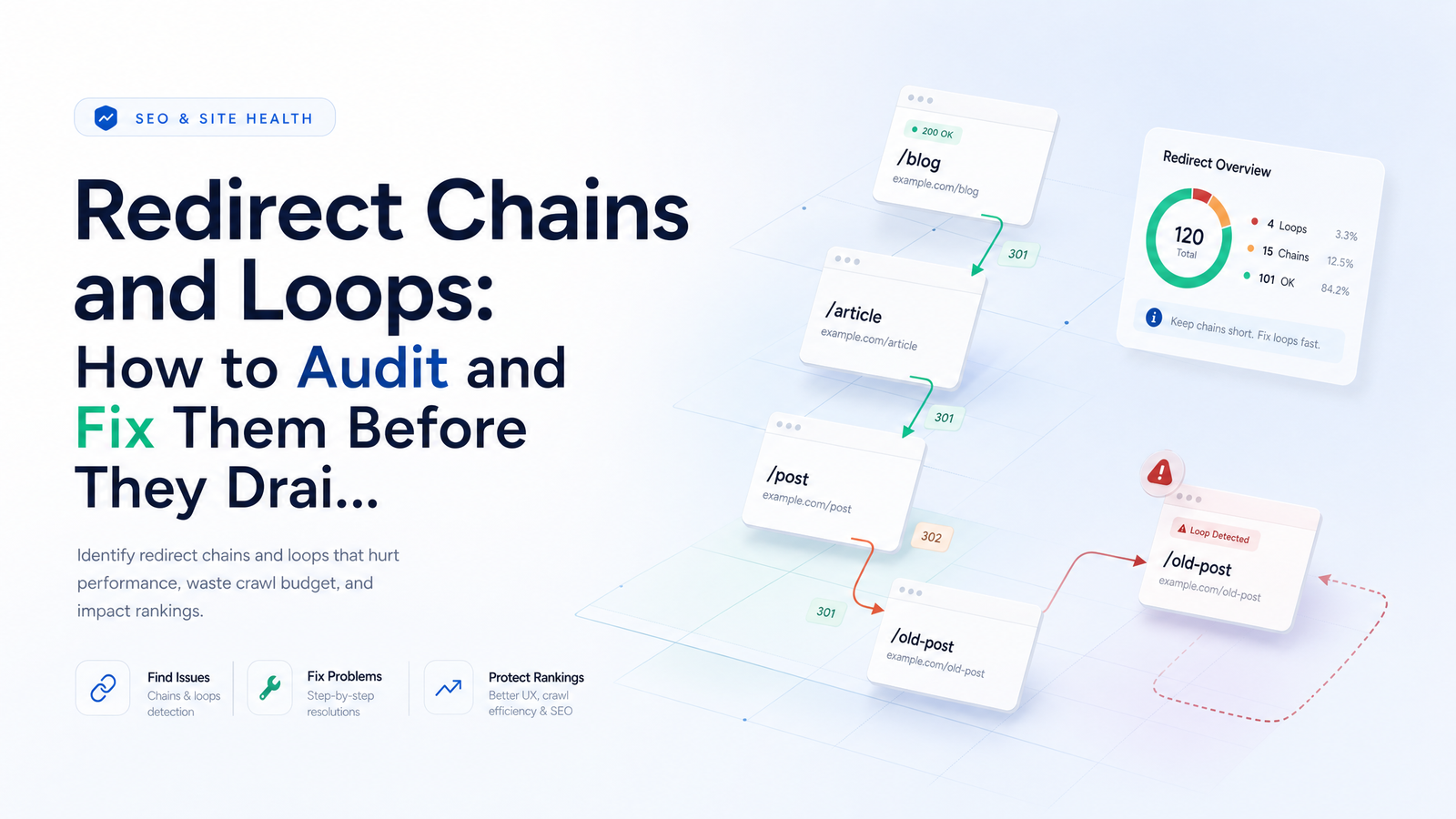
Every site live for more than a couple of years accumulates redirects — one URL change at a time, until nobody remembers what's stacked behind what. A redirect chain audit tells you exactly what's piled up, which pieces cost you rankings and crawl budget, and which are just clutter. This guide skips tool screenshots and outdated PageRank scare stories, and gives you the actual method: define the problem precisely, use Google's own statements to set realistic stakes, then run a workflow you can execute with any crawler.
Redirect Chains vs. Redirect Loops: What's Actually Happening
A redirect chain is a sequence of two or more redirects that a browser or crawler must follow before reaching a final, live URL. Picture hops: URL A redirects to URL B, which redirects to URL C, which finally returns a 200 OK — a three-hop chain. It resolves eventually, but every hop adds latency and a chance for something to break.
A redirect loop never resolves: URL A redirects to URL B, which redirects back to URL A, repeating indefinitely. Browsers detect this and throw an error instead of looping forever.
Two redirect types show up in both patterns. A 301 redirect is permanent and tells search engines to treat the destination as the canonical, ranking-worthy URL going forward. A 302 redirect is temporary, signaling the move might not be permanent, so search engines are more cautious about consolidating signals to the destination. Chains often form when someone stacks a 302 on top of an old 301 "just to test something," and the test never gets cleaned up. Both chains and loops are the raw material a redirect chain audit is built to expose.
Do Redirect Chains Really Drain Link Equity?
Not the way most SEO folklore describes it. The popular claim — that every hop siphons off a fixed percentage of PageRank, like a toll booth — isn't how Google's systems actually work, and Google has said so directly. John Mueller has been on record explaining that 301 redirects pass PageRank largely intact and that chains aren't taxed hop-by-hop the way the old "decay" myth suggests.
That doesn't make chains harmless. The real risk with redirect chain link equity isn't a per-hop tax — it's crawl inefficiency. Every additional hop is another request Googlebot has to make, another round-trip slowing discovery, and another point of failure where a chain can break, time out, or get abandoned mid-crawl. So the honest answer to "does a redirect chain hurt SEO" is: rarely through equity loss, often through crawlability, speed, and the practical risk that Google never reaches your final URL before giving up. That's a usability and indexing problem dressed up as a link equity problem, and it's worth fixing for the right reason.
How Many Redirects Is Too Many?
Googlebot doesn't follow redirect chains indefinitely. Google's own guidance and outside testing converge on a hard ceiling: Googlebot will follow up to roughly 10 hops before it stops, and beyond that the target URL risks exclusion from indexing entirely — see how too many redirects break crawling and indexing. Mueller has separately clarified that in a single crawl pass, Googlebot typically follows up to five redirects before deferring the rest to a later attempt — which is why chains that would technically resolve in ten hops can still get delayed or dropped.
So how many redirects is too many, in practical terms? Aim for a single hop, and treat three to five as your absolute upper limit before scheduling a fix. Beyond that is the range where real sites start seeing pages excluded from indexing, and where users on slow connections hit the literal ERR_TOO_MANY_REDIRECTS error — what happens when a loop or oversized chain crosses the browser's own hop ceiling.
How to Run a Redirect Chain Audit
This is the part that matters most, and it doesn't require exotic tooling — just a consistent method.
1. Crawl the site with redirect-following enabled. Use any crawler capable of "follow redirects" or chain-detection mode, set to report the full hop path, not just the first redirect target. You want A → B → C, not just A → B.
2. Export every 3xx response and its full hop path. This becomes your master list. Flag anything with more than one hop immediately — that's your working set for the rest of the audit.
3. Cross-reference against your XML sitemap. Any sitemap URL that's part of a redirect chain is a red flag: you're asking Google to crawl and index a URL that doesn't resolve cleanly on the first request.
4. Cross-reference against internal links and navigation. A redirect chain checker tells you the chain exists; your CMS or crawler's internal-link report tells you how many pages link into the middle of that chain instead of the final URL — each one a wasted hop inflicted on your own users and crawl budget.
5. Confirm with log files which chains Googlebot is actually hitting. Crawl reports show what could be a problem; server logs show what is one. Log file analysis tells you whether Googlebot is actually requesting those chained URLs, how often, and whether it reaches the final destination or gives up partway — the difference between a theoretical issue and an active crawl-budget leak.
If a chain also intersects with canonical tags pointing somewhere unexpected, that's a separate but related failure mode worth checking — see canonical tag troubleshooting for the mechanics this audit doesn't cover.
What Usually Causes Redirect Loops
Most loops trace back to a small set of repeat offenders, and recognizing the pattern is faster than debugging from scratch:
- HTTP/HTTPS conflicts — a rule forces HTTPS, but another rule (often at the CDN level) forces back to HTTP for the same path.
- www vs. non-www mismatches — one system canonicalizes to www, another to non-www, and neither wins cleanly.
- Plugin or CDN rule collisions — an SEO plugin, caching layer, and CDN edge rule all try to manage redirects independently, and their logic contradicts.
- Stale .htaccess rules stacked over years — old migration-era rules never get removed, so a URL passes through three or four legacy rewrites before hitting a current one.
- Trailing-slash mismatches — a rule redirects the slash version to the non-slash version, while another part of the stack does the reverse.
Diagnosing "fix redirect loop" scenarios almost always starts with identifying which of these systems is fighting which. Check your CDN, your CMS/plugin redirect settings, and your server config in that order — loops are rarely caused by just one of them acting alone.
Prioritizing and Flattening Chains: The Fix-It Workflow
Not every chain deserves the same urgency. Triage using three factors: how much traffic or backlink equity points at the source URL, how many hops the chain contains, and whether the URL is still referenced in the sitemap or internal navigation. A two-hop chain on a page with strong backlinks and sitemap inclusion outranks a five-hop chain on an orphaned page nobody links to anymore.
Once prioritized, the fix is consistent: always repoint the first redirect straight to the final live URL. Don't patch a broken chain by adding another hop on top — that's how three-hop chains become five-hop chains over time. Update every internal link and canonical tag currently pointing into the middle of the chain so they go directly to the destination. The goal is to flatten redirect chains down to a single hop everywhere they appear — in the sitemap, in navigation, in canonicals, and in any hardcoded links in your content. For deciding where this fix sits against other technical debt, a technical SEO priority framework helps you sequence it against other issues competing for the same sprint.
If your chains stem from a larger migration rather than accumulated cruft, this deserves its own dedicated process — see the SEO site migration checklist for handling redirects at scale rather than one at a time.
Keeping Chains From Coming Back
Chains rarely form all at once — they accumulate every time a URL changes and someone forgets to update the links pointing at the old one. Two habits stop that: update internal links immediately after any URL change instead of relying on a redirect to quietly absorb it, and audit redirects on a fixed cadence rather than only during migrations. A quarterly check catches chains while they're still one or two hops, long before they compound into something that trips Google's crawl ceiling.
The honest constraint is that manually re-crawling your site, cross-referencing sitemaps and internal links, and pulling log files every few months isn't sustainable for most teams — it's the kind of task that gets skipped the first time a deadline gets tight, and skipped tasks are exactly how chains pile back up. An automated site audit tool solves that by running the crawl, chain detection, and cross-referencing continuously instead of on an ad hoc basis, so new chains and loops get flagged as they form rather than months later during the next painful cleanup.
That's the gap Rankevra is built to close — combining automated audits, AI-driven fixes, and rank tracking in one workflow, so redirect chain audit and monitoring runs on autopilot instead of consuming a recurring block of manual hours.
Frequently Asked Questions
Does a redirect chain actually cause a penalty in Google Search?
No, there's no penalty in the algorithmic sense. Google has clarified that redirect chains aren't punished with a per-hop ranking tax; the real risk is practical — slower crawling, more chances for a chain to break, and a higher likelihood Googlebot never reaches the final URL at all.
What's the difference between a redirect chain and a redirect loop?
A redirect chain eventually resolves to a final, live URL after two or more hops. A redirect loop never resolves — it cycles back to a URL already visited in the sequence, and browsers eventually throw an error instead of following it indefinitely.
How many redirects can a single URL have before Google stops following it?
Googlebot typically follows up to five redirects in a single crawl pass and has a documented ceiling of around ten hops overall before giving up. Beyond that range, the target URL risks being excluded from indexing entirely, so the practical safety limit is far lower — one hop ideally, three to five as an absolute ceiling.
Should I use a 301 or 302 redirect when fixing a chain?
Use a 301 redirect whenever the move is permanent, which covers the vast majority of chain-fixing scenarios. Reserve 302 redirects strictly for genuinely temporary situations, since 302s signal to search engines that they shouldn't fully consolidate ranking signals to the destination yet.
Can a redirect chain cause a page to disappear from Google entirely?
Yes, if the chain is long enough. Once a chain exceeds Googlebot's hop tolerance, the crawler stops following it before reaching the final URL, and that URL can be excluded from the index rather than ranked.
How often should I re-audit my site for redirect chains?
At minimum quarterly, and immediately after any migration, replatforming, or large-scale URL restructuring. Chains accumulate gradually as URLs change, so a fixed cadence — ideally backed by automated, continuous monitoring — catches them while they're still one or two hops instead of letting them compound.
Keep reading
- SEO Automation Workflow: What to Automate vs. Keep HumanA practical SEO automation workflow framework: what's safe to automate, what needs a human checkpoint, and what should never run unsupervised.
- AI Content Detection & SEO: Is There a Penalty in 2026?No, Google doesn't penalize AI content for being AI-written in 2026 — but scaled, unedited output still gets filtered. Here's the checklist that matters.
- E-Commerce Category Page SEO: The Faceted Nav FrameworkA decision framework for e-commerce category page SEO: which filters to index, canonicalize, or block — plus fixes for thin and out-of-stock pages.