Rankevra Blog
Canonical Tag Troubleshooting: 5 Failures Basic Audits Miss
July 24, 2026
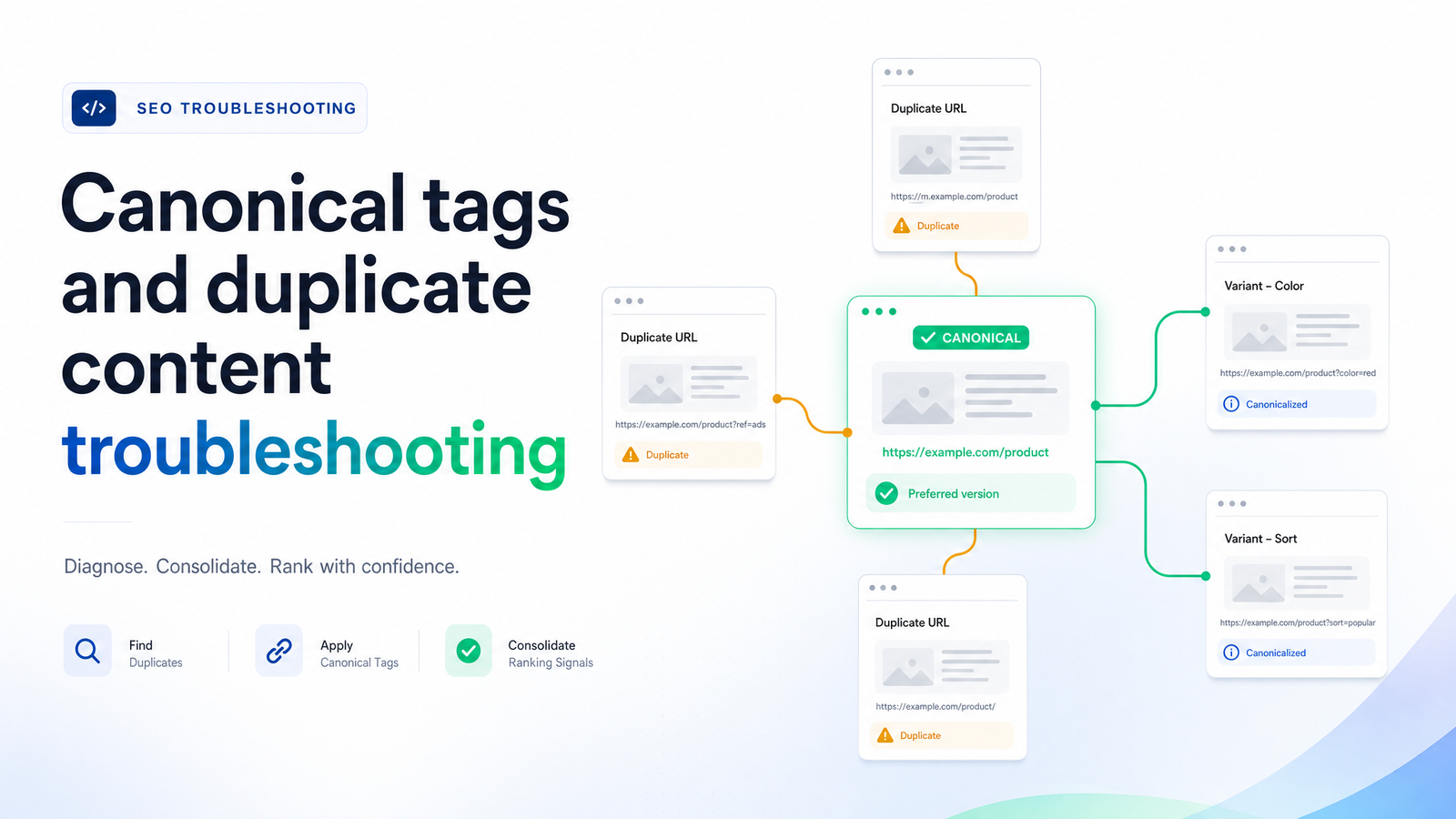
When Canonical Tags Fail Even After You've Diagnosed the Problem
If you've reached this article, you've likely confirmed a duplicate content problem and set a rel=canonical tag — and Google is still doing something else with it. The tag looks correct in the HTML, the target URL resolves fine, and yet Search Console shows a different "Google-selected canonical" than the one you declared.
A canonical tag is a hint, not a directive. Google treats it as one signal among several, and when those signals disagree, Google decides — not you. If you haven't yet confirmed whether your issue is actually a canonical conflict versus something else, the Canonical Tags & Duplicate Content: A Diagnostic Guide covers that groundwork. This piece assumes you're past that stage and need to fix a canonical tag that isn't working despite looking technically correct.
Why Google Overrides Your Canonical Tag
When Google ignores a canonical tag, it's rarely arbitrary. Google's algorithms weigh a cluster of signals against your declared preference, and the tag frequently loses because the rest of the evidence points elsewhere.
The signals that matter most:
- Internal linking patterns — if most of your internal links point to the non-canonical version, Google reads that as a vote for the URL you didn't want indexed.
- Sitemap inclusion — listing the duplicate URL in your XML sitemap while canonicalizing it elsewhere sends a contradictory message.
- Backlink concentration — if external sites link heavily to the non-preferred URL, Google may treat that version as more authoritative regardless of your tag.
- Content similarity clustering — Google groups near-duplicate pages and picks a representative URL for the cluster based on aggregate signals, not just the tag on any single page.
These conflicts happen because crawling, rendering, and indexing are separate stages, and each stage can pick up different evidence. A tag is easy to set once; keeping every other signal — links, sitemaps, backlinks — aligned with it is what breaks down over time.
5 Canonical Failure Scenarios and How to Fix Each One
Each of these scenarios passes a surface-level check — the tag exists, it's well-formed, it points somewhere valid — but still fails to consolidate properly.
JavaScript rendering timing conflicts
On React, Vue, and Angular sites, the raw HTML Googlebot first crawls often differs from the DOM after JavaScript executes. If your server delivers one canonical URL in the initial HTML and client-side JavaScript later injects a different one, crawl-phase and render-phase signals contradict each other. Google may index based on whichever version it processed first, or fall back to its own clustering logic.
The fix requires coordination between dev and SEO teams: the canonical URL in the raw server-rendered HTML should match exactly what appears after JavaScript execution. If a client-side override is unavoidable, don't include a conflicting canonical tag in the initial HTML at all — leave it absent until the JS-rendered version is authoritative, rather than shipping two competing declarations. Server-side rendering or dynamic rendering for bot traffic removes this ambiguity entirely. For background on how crawl and render phases diverge, see Googlebot Search: What It Is and How to Diagnose Crawl.
Faceted navigation and parameter bloat
E-commerce catalogs and large content sites generate combinations of filters, sort orders, and pagination parameters that multiply near-identical pages by the thousands. This is one of the most common reasons canonical tags appear to "not work" — not because the tag is wrong, but because it's fighting an overwhelming volume of internally linked parameter variants.
Canonical tags alone can't solve this; they need parameter discipline alongside them. Canonicalize filtered/sorted URLs back to the clean category page, but also avoid internally linking to those parameter combinations wherever possible, keep them out of the XML sitemap, and use robots.txt or crawl controls to stop Googlebot from spending budget on low-value combinations. If you suspect crawlers are burning resources on faceted URLs instead of your canonical targets, Log File Analysis for SEO: How to Find Crawl Waste and shows how to confirm it directly from server logs.
Cross-domain and syndicated content canonicals
When your content gets republished on partner sites, news aggregators, or syndication networks, you want the credit — links, ranking signals, and click equity — to flow back to your original domain. A cross-domain canonical placed on the syndicated copy, pointing to your original URL, tells Google which version is authoritative and consolidates the duplicate content across domains rather than splitting authority between them.
This only works if the partner site implements the tag correctly and doesn't override it with its own self-referencing canonical or a noindex directive. Confirm the syndication agreement includes a canonical requirement, and periodically spot-check that partners haven't changed their template.
Canonical chains and loops
A canonical chain problem occurs when Page A canonicalizes to Page B, but Page B itself canonicalizes to Page C instead of self-referencing. Google has to follow that chain to find the "real" destination, and in practice often stops trusting the signal partway through — consolidating incompletely or defaulting to its own selection.
Every canonical tag should point directly to the final, self-referencing target — never to another canonicalized page. Audit your site for A→B→C patterns, most commonly introduced through URL migrations, redirects layered over time, or templates copied without updating the destination. Flatten every chain so each duplicate points straight to the one true canonical.
Signal mismatches between sitemap, internal links, and canonical tags
This is the quiet failure mode: your canonical tag says one thing, your XML sitemap lists a different URL as the priority version, and your internal navigation links predominantly to a third variant. Each system sends Google a signal, and a mismatch is often the deciding factor when Google chooses to override your declared tag.
Align all three systems deliberately. The canonical URL, the URL in your sitemap, and the URL your internal links point to should be the same one, every time. This is rarely a single fix — it's a standing discipline as pages get added, migrated, or restructured. XML Sitemap and Robots.txt Best Practices for 2026 covers how to keep sitemap signals consistent, and for sites where this keeps recurring, addressing it at the structural level with SEO Site Architecture: The 5-Step Blueprint for Building a prevents much of it from happening in the first place.
Canonical Tag vs. 301 Redirect vs. Noindex: Choosing the Right Fix
These three mechanisms solve overlapping problems in different ways, and picking the wrong one causes friction. The decision comes down to two questions: do users still need access to the duplicate, and how fast does consolidation need to happen?
- 301 redirect — use when the duplicate URL has no ongoing purpose. Users and bots are sent directly to the canonical version, consolidation is immediate and near-total, and there's no ambiguity for Google to weigh. This is the strongest fix when available.
- Canonical tag — use when both URLs must remain independently accessible (a filtered view, a print version, a syndicated copy). It's a hint rather than a directive, so consolidation is probabilistic, not guaranteed — really "guaranteed but disruptive" versus "flexible but advisory."
- Noindex tag — use when the duplicate should stay live for users but has no business appearing in search results at all. Unlike a canonical, noindex is a much stronger removal directive, but it doesn't consolidate ranking signals toward another page — it just removes the page from consideration. The choice hinges on whether you want authority transferred (canonical) or simply want the page excluded (noindex).
Confirming the Fix Actually Worked
Don't assume a canonical tag change has been honored just because it's been live for a while. Verify status in Google Search Console using the URL Inspection tool: submit the non-canonical URL and check the "User-declared canonical" field against the "Google-selected canonical" field. If they match, Google has adopted your declaration. If they diverge, Google is still applying its own judgment, and the underlying signal conflict — links, sitemap, or content similarity — hasn't been resolved yet.
Run this check on a sample of affected URLs after making changes, not just one. A single confirmation doesn't mean the pattern is fixed sitewide.
Why Manual Canonical Audits Break Down as Sites Scale
Canonical signal drift isn't a one-time bug — it's continuous. New pages launch without matching their template's canonical logic, migrations introduce fresh chains, a marketing campaign links internally to a parameter-heavy URL, or a developer ships a JavaScript update that shifts render-phase output. Each of these can quietly reopen a canonical conflict on a site that passed its last manual audit cleanly. This matters beyond traditional rankings, too — when duplicate or fragmented content confuses which version is authoritative, AI-driven search tools and answer engines are less likely to cite your page confidently, since they lean on the same consolidated authority signals Google does.
Checking sitemap alignment, internal link patterns, rendered HTML, and Search Console data by hand across hundreds or thousands of URLs isn't something a team can sustain on a recurring basis — which is exactly the gap Rankevra's AI site audit is built to close, flagging canonical conflicts, chains, and signal mismatches automatically instead of waiting for the next scheduled review. See Site Audit Tool: What It Checks and How to Use One for how automated auditing catches these patterns as they emerge.
If your team is managing canonical tags, content, and rank tracking across separate tools, Rankevra consolidates that workflow — catching canonical conflicts the moment they appear rather than during the next manual review.
Frequently Asked Questions
Why is Google ignoring my canonical tag even though it's implemented correctly?
Google weighs the canonical tag alongside other signals — internal linking patterns, sitemap inclusion, backlink concentration, and content similarity clustering — and will override the tag when those signals point to a different URL. A technically correct tag doesn't guarantee compliance if the rest of your site's signals contradict it.
Should I use a canonical tag or a 301 redirect to fix duplicate content?
Use a 301 redirect when the duplicate URL no longer needs to be accessible, since it consolidates signals immediately and unambiguously. Use a canonical tag when both versions must remain live for users, such as filtered views or syndicated copies, accepting that consolidation is advisory rather than guaranteed.
Can a JavaScript-injected canonical tag cause indexing problems?
Yes — if the canonical URL in the raw server-rendered HTML differs from the one JavaScript injects after rendering, Google receives conflicting signals from the crawl and render phases. The fix is to make sure both versions match, or omit the tag from initial HTML entirely if a client-side override is required.
How long does it take for a canonical tag to take effect in Google's index?
There's no fixed timeline — it depends on crawl frequency, page authority, and how quickly conflicting signals like sitemap entries and internal links get aligned. Verify status directly with the URL Inspection tool in Google Search Console rather than assuming a set number of days or weeks.
Do canonical tags help with duplicate content picked up by AI search tools?
Yes, indirectly — AI-driven search tools and answer engines rely on the same consolidated authority signals traditional search uses, so resolving duplicate content with proper canonicalization improves the odds your preferred version gets cited. Fragmented signals across duplicate pages dilute the authority any single version can draw on for citation.
What causes a canonical chain and why is it a problem?
A canonical chain happens when Page A canonicalizes to Page B, but Page B canonicalizes onward to Page C instead of self-referencing. Google has to follow the chain to find the true destination and often stops trusting the signal partway through, so every canonical tag should point directly to a final, self-referencing target.
Keep reading
- Subdomain vs Subdirectory SEO: The Real Decision FrameworkSubdomain vs subdirectory SEO, resolved: what Google says, what migration data shows, and a 5-question framework to pick the right structure.
- Answer Engine Optimization: A Platform-by-Platform GuideAnswer engine optimization explained for ChatGPT, Perplexity, and Google AI Mode — with a practical, platform-aware framework to earn citations in 2026.
- SEO A/B Testing: A DIY Framework Using Only GSCLearn SEO A/B testing with just Google Search Console and a spreadsheet — hypotheses, page grouping, significance checks, and when to automate.