Rankevra Blog
Robots.txt for AI Crawlers: A 2026 Framework
July 25, 2026
Why Robots.txt Became a Business Decision in 2026
A robots.txt file used to be configured once and forgotten. That era is over. In 2026, robots.txt is a live control panel for two distinct questions: which bots may crawl your site for search visibility, and which bots may feed your content into AI training data. Those are no longer the same decision.
This shift happened because AI companies split their crawlers into distinct user-agents with distinct purposes: some fetch pages to train large language models, others fetch pages in real time to answer a user's question and cite a source. A blanket rule that blocks "AI" can't tell the difference between a bot building a training corpus and a bot sending you referral traffic right now. Get it wrong, and you either leak content into training sets you never approved, or you cut off a growing channel of AI-driven discovery. AI training crawlers deserve their own line item in your technical SEO strategy, not an afterthought bolted onto an old file.
The Crawler Landscape: Training Bots vs. Search & Answer Bots
Most major AI providers now operate at least two crawlers: one for model training, one for live retrieval or citation. Knowing the difference is the entire game.
Training crawlers collect content to improve future model versions. Blocking them stops your content from becoming training data but has no direct effect on whether that provider's product can answer questions about your brand today.
- GPTBot (OpenAI) — crawls content for training future models.
- Google-Extended — a control token governing whether Google's AI products (Gemini, AI features in Search) can use your content for training. It does not affect Googlebot's regular crawling or ranking.
- ClaudeBot (Anthropic) — trains Anthropic's models.
- Bytespider (ByteDance) — trains ByteDance/TikTok-affiliated models.
- CCBot (Common Crawl) — feeds a widely reused open dataset many other AI labs train on.
Search and answer crawlers fetch pages to generate a live response or citation, functioning much closer to a traditional search bot.
- OAI-SearchBot and ChatGPT-User (OpenAI) — power live search results and in-chat citations inside ChatGPT.
- PerplexityBot — retrieves content to generate cited answers in Perplexity's search product.
- Googlebot — the original search and indexing crawler, unrelated to Google-Extended's training permission.
The practical takeaway: GPTBot vs OAI-SearchBot is the single most important distinction to understand before touching robots.txt. Disallowing GPTBot keeps your pages out of OpenAI's training pipeline but does nothing to your presence in ChatGPT's live search results, which is OAI-SearchBot's job. Similarly, disallowing Google-Extended opts you out of Gemini training without touching Googlebot's indexing — a distinction worth confirming against Google's own documentation, and one you can verify further using Googlebot Search: What It Is and How to Diagnose Crawl issues if you suspect your rules are misfiring.
Building a Deliberate 2026 Robots.txt (Not a Blanket Block)
The right approach isn't "block everything AI" or "allow everything." It's a per-bot decision tied to what you actually want: traffic, citations, brand visibility, or content protection.
Verify exact, current user-agent strings directly from each provider's published documentation before writing a single rule — names occasionally change, and a typo in a user-agent line means the rule silently does nothing. From there:
- Decide your stance per bot, not per category. You might allow OAI-SearchBot and PerplexityBot because they send referral traffic and citations, while disallowing GPTBot, ClaudeBot, and Bytespider because you don't want your content in training corpora with no attribution.
- Never touch Googlebot rules to solve an AI problem. Confusing Google-Extended with Googlebot is the single most damaging mix-up in this space — it can cost you organic rankings for a training-data decision that had nothing to do with search.
- Avoid the highest-risk mistake: a misplaced
Disallow: /. A blanket disallow under the wrong user-agent, or a global rule accidentally left in place after a staging migration, can deindex an entire site. Scope the disallow directive to the specific user-agent block — never apply it globally unless you genuinely intend to block every crawler, including search. - Remember robots.txt is a compliance signal, not a lock. Well-behaved crawlers respect it; it isn't a firewall. Real enforcement requires server-level blocking or a CDN rule.
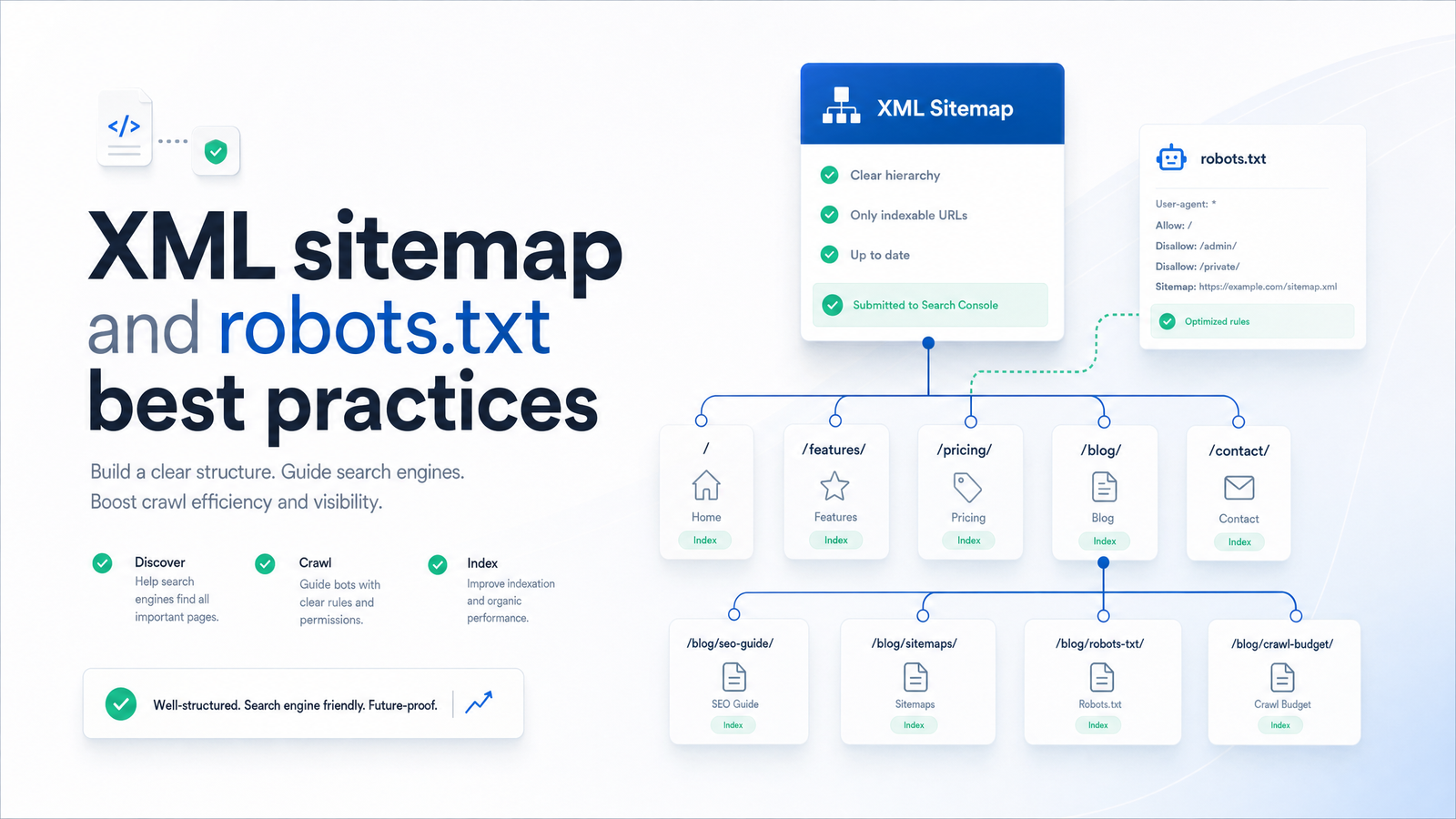
For underlying syntax — formatting, comment structure, how directives are parsed line by line — the existing XML Sitemap and Robots.txt Best Practices for 2026 guide covers that ground fully; this piece assumes you know the basics and focuses on the AI-era decisions layered on top.
Sitemap Hygiene That Now Also Feeds AI Visibility
Sitemap fundamentals haven't changed, but the stakes have. A sitemap file is still capped at 50,000 URLs (or 50MB uncompressed) per file, which is why larger sites need a sitemap index file referencing multiple child sitemaps rather than one bloated document. lastmod still needs to reflect genuine content changes, not a timestamp that updates on every deploy regardless of whether the page content moved.
What's different in 2026 is who's reading these signals. AI answer engines crawling for live citations use the same accuracy cues Googlebot always has: a sitemap tells a crawler which URLs you consider canonical and current, and lastmod accuracy tells it which are worth re-fetching. A sitemap padded with stale dates or thin, redirected, or duplicate URLs doesn't just waste Googlebot's attention — it degrades the freshness signal AI retrieval systems increasingly rely on to decide which page represents the up-to-date version of your content. Clean sitemap hygiene is no longer just a Search Console housekeeping task; it's part of how you get accurately cited across the answer engines your audience now uses alongside search.
Where Sitemaps and Robots.txt Quietly Conflict
Most technical SEO damage here doesn't come from one bad rule — it comes from robots.txt, sitemap, and canonical tags telling three different stories about the same URL.
The most common conflicts:
- A URL sits in the sitemap but is blocked by robots.txt. You're telling crawlers "here's an important page" while simultaneously saying "don't fetch it." Search engines generally won't index a blocked page, so the sitemap entry is wasted crawl budget at best and a confusing signal at worst.
- A canonical tag points to a URL that robots.txt disallows. If Googlebot can't crawl the canonical target, it can't confirm it's the right version to index, undermining the entire canonicalization strategy. This overlaps with duplicate-content diagnostics — see Canonical Tags & Duplicate Content: A Diagnostic Guide for tracing these mismatches systematically.
- Noindex pages left inside the sitemap. Once a page is marked noindex, its presence in the sitemap sends a contradictory "prioritize this" signal that search engines increasingly discount over time, along with everything else in that sitemap.
Each of these silently wastes crawl budget: bots spend cycles requesting or re-checking URLs that were never going to be indexed, leaving less attention for pages that actually matter. On sites with thousands of URLs, that waste compounds, and it's often invisible until you cross-reference the three signal sources — sitemap, robots.txt, and canonical/meta directives — against each other.
How Rankevra Keeps Both Files Correct Automatically
None of this is a one-time fix. Every time a new AI crawler launches — and the last two years have produced several — your robots.txt needs a fresh decision about whether to allow or block it, and your sitemap needs re-verification that nothing blocked, redirected, or noindexed has crept back in. Doing that manually means someone re-auditing both files on a recurring schedule indefinitely, which rarely survives contact with a busy quarter.
Rankevra's automated SEO audit was built for exactly this kind of recurring technical debt. It checks your robots.txt against current, known AI and search crawler user-agents, flags contradictions between your sitemap and your crawl directives, and surfaces canonical mismatches before they cost you indexing — the same categories of conflict described above, checked continuously rather than once. As an AI SEO tool built to run audits, generate content, and publish without stitching together five separate platforms, Rankevra treats robots.txt and sitemap health as a standing maintenance job, not a project you revisit after something breaks. For a deeper look at what a modern audit actually inspects, see Site Audit Tool: What It Checks and How to Use One. And if you want to confirm bots are actually behaving the way your directives assume, pairing an audit with Log File Analysis for SEO: How to Find Crawl Waste and Indexi closes the loop between what you've configured and what's actually happening on your server.
Run a free audit at Rankevra to check your robots.txt directives, sitemap health, and crawl/indexation conflicts in a single pass — instead of manually re-checking per-bot rules every time a new AI crawler shows up.
Frequently Asked Questions
Should I block GPTBot in my robots.txt?
That depends on whether you want your content used to train OpenAI's models. Blocking GPTBot stops that specific use without affecting OAI-SearchBot or ChatGPT-User, which handle live search citations — so blocking GPTBot won't remove you from ChatGPT's real-time answers.
What's the difference between GPTBot and OAI-SearchBot?
GPTBot crawls content to train OpenAI's models, while OAI-SearchBot and ChatGPT-User retrieve content to generate live search results and in-chat citations. They're controlled independently in robots.txt, so you can allow one and block the other depending on whether you want training use, live citation, or both.
Does blocking Google-Extended hurt my Google Search rankings?
No, blocking Google-Extended only opts your content out of training for Google's AI products like Gemini and does not affect Googlebot's crawling, indexing, or ranking. Google-Extended and Googlebot are separate, independently controlled crawlers.
How many URLs can one XML sitemap file contain?
A single sitemap file is capped at 50,000 URLs or 50MB uncompressed, whichever comes first. Sites exceeding that limit should use a sitemap index file referencing multiple smaller child sitemaps instead of one oversized file.
Can a page still get indexed if it's in my sitemap but blocked by robots.txt?
Generally no — if robots.txt blocks a page, crawlers typically can't access its content to index it, even if that URL appears in your sitemap. This creates a contradictory signal that wastes crawl budget and should be resolved by either removing the block or removing the URL from the sitemap.
Do AI crawlers actually respect robots.txt rules?
Reputable AI crawlers from major providers generally do respect robots.txt as a compliance signal, but robots.txt is not an enforcement mechanism — it relies on the crawler choosing to follow it. Verifying actual bot behavior against your directives requires checking server logs rather than assuming compliance.
Keep reading
- Wordcount for SEO: Benchmarks by Page Type (2026)How many words should your page be? Get real wordcount benchmarks by page type and a repeatable method to set your own target — no guessing.
- Word Counters for SEO: What Content Teams Actually NeedMost word counters just count. Here's what an SEO-aware word counter needs to do for content teams — and why standalone tools break down at scale.
- Count the Words: Fast Methods + Does It Matter for SEO?Learn to count the words in any document in seconds, then discover what the Backlinko 11.8M study actually says about word count and SEO rankings.