Rankevra Blog
SEO Audit Report Template for 2026 (Copy & Paste)
July 18, 2026
Why a Template Beats a Blank Document (or a Bloated Checklist)
Hand a client or your boss a spreadsheet with 60 rows of crawl errors, missing meta descriptions, and Core Web Vitals scores, and nothing happens. Raw issue lists get skimmed, forwarded, and forgotten, because nobody can tell what matters or what to do first.
The opposite failure is a generic audit checklist with 15 sections built to impress a prospect rather than guide a fix. It looks thorough but buries the three issues that actually move rankings under two dozen that don't.
An SEO audit report template solves both problems. It gives you a fixed structure to drop findings into as you find them, so nothing lives only in a screenshot or throwaway export. And because it's a report, not a checklist, it forces every finding toward a decision: what's broken, how bad is it, and who's fixing it. That real action plan is the difference between a document read once and one kept open in a tab until every row says "done."
The Core Sections Every SEO Audit Report Template Needs
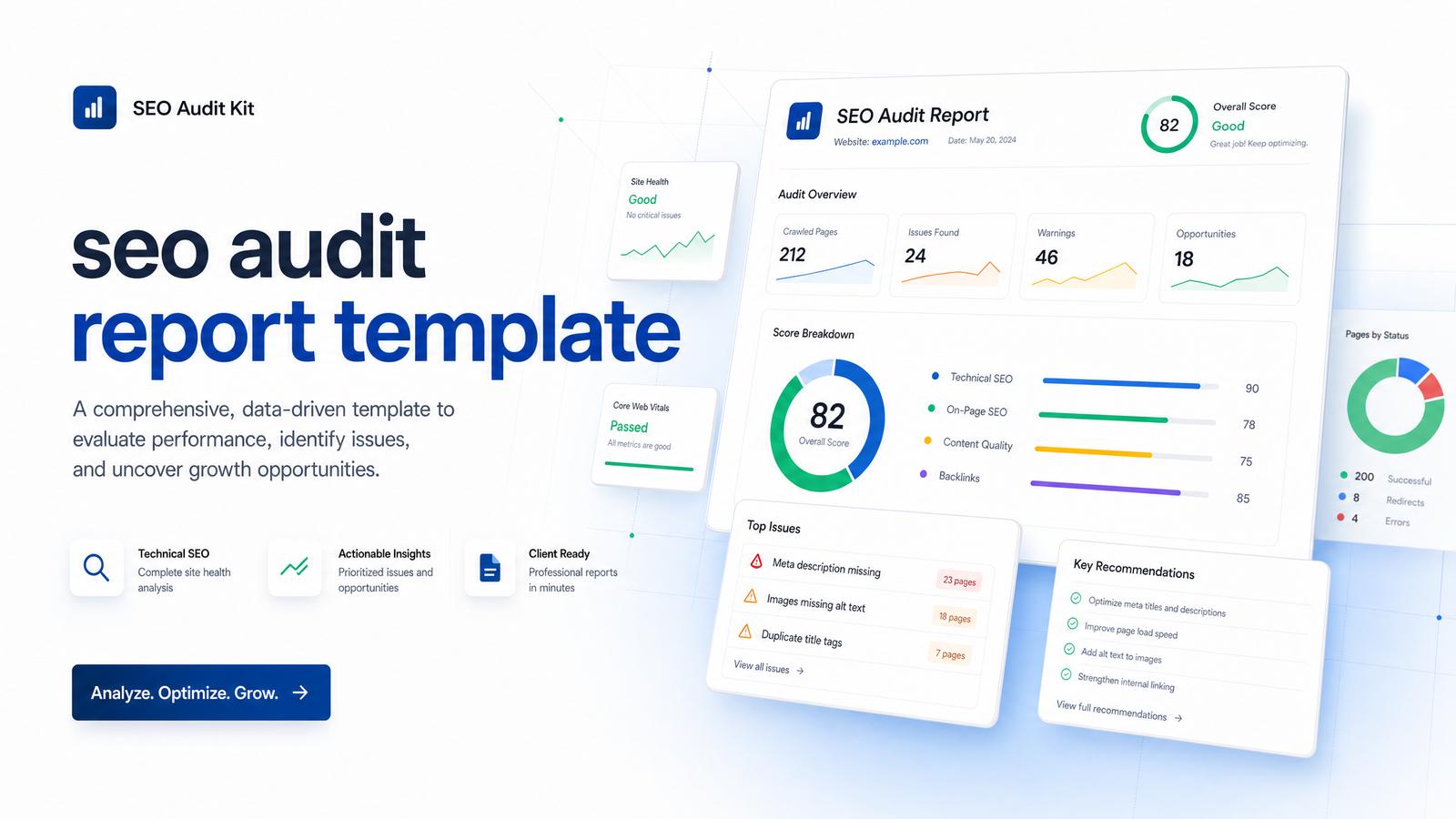
A complete SEO audit report structure in 2026 needs six blocks, in order: a summary, technical findings, on-page and content findings, a backlink snapshot, AI search visibility, and a prioritized action plan. Skip any of these and you've built a partial audit, not a report someone can run a site on.
Executive Summary & Site Health Score
Put this first because most readers never get past it. One page, three parts: the top three findings in plain language ("Google can't crawl 40% of your product pages"), a one-line impact statement per finding ("this is likely costing organic visibility on your highest-margin category"), and a single site health score — red, yellow, or green — so a non-technical stakeholder can gauge severity in five seconds without reading a row of data below it.
Technical SEO Findings
This is the foundation layer: crawlability, indexability, status codes, redirect chains, and Core Web Vitals. List what's blocking bots (robots.txt, noindex tags, broken internal links), what's returning 4xx/5xx errors, and where redirect chains waste crawl budget. Core Web Vitals deserve their own line items — LCP, INP, and CLS — scored per template, since a single slow page can drag down an otherwise healthy score. For the full mechanics behind each check, the Core Web Vitals guide is worth linking directly into this section.
On-Page & Content Quality Findings
This section covers title tags, header structure, keyword-to-content alignment, thin or duplicate pages, and E-E-A-T signals — author bios, citations, evidence of first-hand expertise. An on-page audit that stops at "titles are too short" misses the bigger question: does this page actually deserve to rank against what's currently ranking? For scoring trust signals, reference the E-E-A-T checklist so reviewers apply the same criteria every time.
Backlink & Off-Page Snapshot
Keep this brief but non-negotiable: overall domain authority trend, any toxic or spammy links worth disavowing, and a competitor gap view — links your top three competitors have that you don't. A backlink audit doesn't need to be exhaustive in a general report; it needs to answer one question — is the link profile helping or holding back everything else in this document.
AI Search Visibility (the 2026 Addition)
A 2026 audit report that skips AI search visibility is already incomplete. Buyers now find answers through AI Overviews and chat-based answer engines before they ever click a blue link, and a site can rank well in classic search while being invisible in those surfaces. This section should track whether target pages appear in AI Overviews for their core queries, whether content is structured to be easy to extract and cite (clear answers near the top, defined entities, structured data), and whether AI-generated or AI-assisted content is helping or hurting that visibility. The guide to AI content and rankings is a useful reference here, since it addresses the question most stakeholders ask next: does using AI to write the page help or hurt in the first place.
Prioritized Action Plan
Every finding above funnels into this section, scored on two axes: impact (traffic or revenue potential) and effort (hours or complexity to fix). High-impact, low-effort items go first — these are the quick wins that build trust in the rest of the report. Each row needs an owner and a status field, not just a description, or the plan quietly becomes another list nobody executes. If you're tracking whether fixes actually moved the needle afterward, pair this section with a process for tracking SEO ROI over time.
Copy-and-Paste Template Format (Columns to Use)
Drop this structure straight into Sheets, Docs, or Notion as your SEO audit spreadsheet — one row per issue, one tab per section above:
| Issue | Page/URL | Severity | Impact | Effort | Fix | Owner | Status |
|---|---|---|---|---|---|---|---|
| Missing H1 | /product/x | Medium | Medium | Low | Add unique H1 matching intent | Content | Not started |
| 4xx errors on 12 URLs | Multiple | High | High | Low | Redirect to live equivalents | Dev | In progress |
| LCP 4.2s | /pricing | High | High | Medium | Compress hero image, defer JS | Dev | Not started |
These are the columns that matter: Severity and Impact separate "annoying" from "actually costing traffic," Effort keeps the plan realistic, and Owner/Status are what make the sheet a working document instead of an archive. Add a "Section" column if you're combining technical, on-page, and AI visibility findings into one master sheet.
How to Fill It Out Without Getting Overwhelmed
The order you fill this in matters as much as the structure itself. Start with the crawl: pull every technical issue first, since it doesn't matter how good a page's content is if Google can't index it. Move to on-page and content quality next, now that you're evaluating pages that are at least crawlable. Layer in the backlink snapshot and AI visibility checks after that, since both depend on knowing which pages are worth the attention. Only then build the prioritized action plan, using the impact/effort scores from every section above it.
Trying to fill in all six sections at once, in no particular order, is exactly how this template becomes as overwhelming as the blank document it was meant to replace. If you want the fuller methodology behind each check before you fill in row one, the 25-step SEO checklist covers how to do an SEO audit end to end.
Mistakes That Turn a Report Into Shelfware
Most audit reports fail for the same handful of reasons, regardless of how much data went into them:
- No prioritization. Fifty issues with no ranking system reads as fifty equally urgent problems, which means none of them feel urgent.
- No owners. A fix with no name attached to it doesn't get scheduled.
- Too much jargon. If the executive summary needs a glossary, it won't get read past line two.
- One-size-fits-all templates. A five-page site and a 5,000-page e-commerce catalog don't need the same depth of technical section.
- No follow-up date. Without a review date built into the report, "we'll get to it" becomes never.
Avoiding these mistakes is mostly a matter of discipline, not more data — the fix is almost always to cut, not add.
Fill In the Template in Minutes, Not Hours, With Rankevra
Everything above is accurate, but doing it by hand — crawling the site, exporting Core Web Vitals data, checking indexation, scoring severity, then formatting all of it into a readable report — easily eats a full day per site. That's the gap Rankevra's automated SEO audit report is built to close.
Run a site through Rankevra's site audit tool and it auto-populates the technical findings section — crawl errors, status codes, redirects, and Core Web Vitals — alongside on-page scoring for titles, headers, and content depth. Issues come pre-scored by severity and impact, dropping straight into the prioritized action plan format above instead of you building the scoring logic from scratch. If you're weighing whether to build this manually or bring in outside help, the technical SEO audit services guide breaks down that cost trade-off directly.
Instead of spending hours pulling exports and formatting tables, fill in the template in 10 minutes: run a free audit inside Rankevra and let it populate the data sections while you focus on the priorities and the plan.
Frequently Asked Questions
What's the difference between an SEO audit and an SEO audit report?
An SEO audit is the process — crawling the site, checking indexation, reviewing content and links. The report is the deliverable that documents what the audit found, in a structure someone can actually read and act on. You can run a thorough audit and still fail if the report summarizing it is disorganized or too technical for its audience.
Do I need special tools to fill out an SEO audit report template, or can I do it manually?
You can fill out the template manually using free tools like Google Search Console, PageSpeed Insights, and a crawler for status codes and redirects, though it takes considerably longer. A dedicated site audit tool speeds this up by pulling crawlability, Core Web Vitals, and on-page data into one export instead of stitching together several sources by hand.
How long should an SEO audit report be?
Long enough to cover all six sections with specific findings, short enough that the executive summary alone tells the full story. Most effective reports run a page or two of summary plus a working spreadsheet of prioritized issues — not a 40-page document nobody finishes reading.
Should an SEO audit report include AI search visibility now?
Yes — by 2026, skipping AI Overview and answer-engine visibility means missing a growing share of how people actually find sites. Track whether target pages appear in AI-generated answers and whether content is structured clearly enough to be extracted and cited.
How often should I run and update an SEO audit report?
Most sites benefit from a full audit quarterly, with the prioritized action plan reviewed monthly to track status on open items. Sites undergoing a redesign, migration, or rapid content growth should audit more frequently until things stabilize.
Can I use the same audit report template for a client presentation and an internal team review?
Yes, the section structure works for both — the difference is depth and tone, not format. Client-facing versions typically lean harder on the executive summary and health score, while internal versions spend more time in the detailed spreadsheet and owner/status tracking.
Keep reading
- Content Decay SEO: How to Detect It and Fix It for GoodLearn to detect content decay SEO issues early, rule out false positives, and build a refresh pipeline that scales — plus how to automate the whole loop.
- Headless CMS SEO: Fixing the Gaps Generic Tools MissHeadless CMS SEO breaks in three predictable places: rendering, metadata, and sitemaps. Here's the diagnostic framework to find and fix each gap.
- Google Algorithm Update Recovery: A Diagnostic FrameworkA step-by-step google algorithm update recovery framework: confirm the cause, segment the damage, benchmark against winners, and set a real timeline.