Rankevra Blog
Duplicate Content Parameters: Fix It Without Losing UTM Data
September 6, 2026
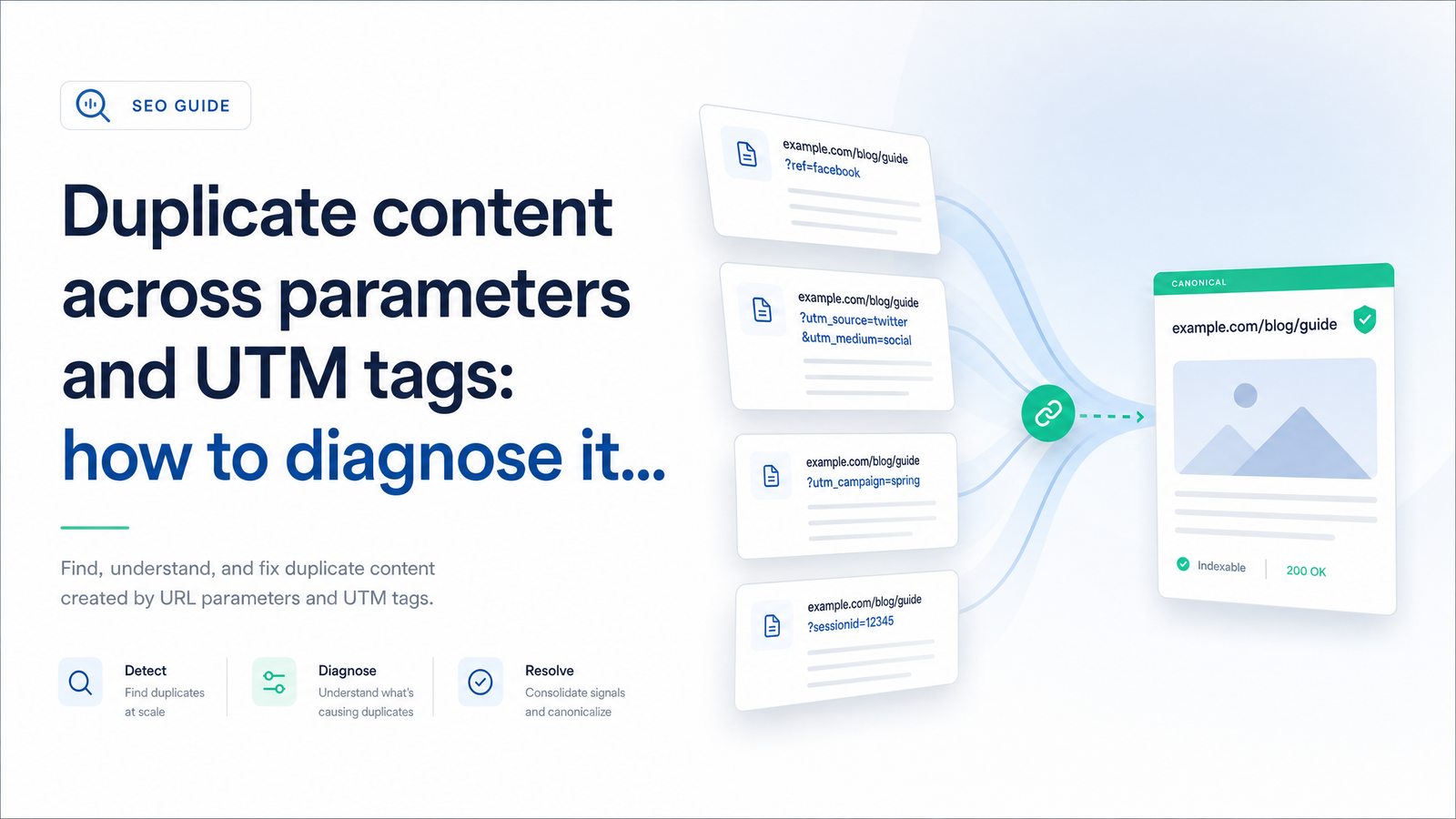
Paid campaign links piling up as separate URLs in Google Search Console look alarming, but most aren't a ranking problem — they're noise Google already resolves on its own. The real risk is reacting the wrong way: blocking those parameters in robots.txt, which breaks Google's ability to see your canonical signals and does nothing to stop the duplication it was meant to fix. This article walks through the correct diagnostic sequence and the canonical setup that consolidates ranking signals while leaving your UTM-tagged links fully intact for Google Ads, GA4, and your CRM.
Why UTM and Parameter URLs Create Duplicate Content (and Why It's Not the Same Problem as It Was in 2015)
Any query string appended to a URL — a UTM tag, a session ID, a sort order, a ?ref= code — creates a new, independently crawlable address for the exact same content. example.com/product and example.com/product?utm_source=newsletter render identical pages, but to a crawler they're two distinct URLs. Multiply that by every campaign, social share, and referral link, and you get dozens or hundreds of variants pointing at one page. That's the mechanical root of duplicate content parameters: not different content, just different addresses for the same content.
What's changed is how much of this you need to manage manually. Google deprecated the URL Parameters tool inside Search Console in 2022, explaining that Googlebot had gotten reliably good at detecting parameter patterns and determining which URL in a duplicate cluster deserves to rank, without site owners manually declaring "this parameter doesn't change content." The old advice — manually configure or block every tracking parameter — is now outdated. Google largely self-diagnoses UTM parameters and duplicate content patterns; your job has shifted from configuration to verification. You need to confirm Google is reading your signals correctly, and the strongest signal you control is the canonical tag.
How to Diagnose It in Google Search Console
Before touching robots.txt, templates, or CMS settings, find out whether you actually have a problem. This sequence uses the current, non-deprecated parts of Search Console and takes about fifteen minutes per site.
Step 1: Pull the Pages Report and Filter by URL Pattern
Open the Pages report under the Indexing section and export the full list of discovered URLs, or use the filter field to isolate query strings. Look for patterns like ?utm_, ?sessionid=, ?sort=, ?ref=, and ?fbclid=. Separating these from your clean URLs gives you a distinct list to audit rather than scrolling through a mixed report where genuine issues get lost among expected variants. If your CMS or ad platform generates predictable UTM combinations, you'll typically see the same base page repeated with different tag values — a useful confirmation you're looking at tracking-driven duplication rather than a structural site problem.
Step 2: Read the Coverage Status Correctly
This is where most site owners either overreact or miss a real issue, because Search Console uses several statuses that sound similar but mean very different things.
- Duplicate, Google chose different canonical and Alternate page with proper canonical tag are both generally fine. They mean Google crawled the parameter URL, recognized it as a duplicate, and correctly consolidated it under your clean URL. No action needed.
- Duplicate without user-selected canonical needs attention. It means Google found duplicate URLs but couldn't identify a clear canonical signal from you, so it's guessing — and might guess wrong, splitting authority across versions instead of consolidating it. Search Engine Land's walkthrough of this exact status is a solid reference.
- A parameter URL showing as flatly Indexed rather than folded into a duplicate cluster is also worth investigating — it suggests Google is treating your UTM-tagged link as a standalone page rather than a variant.
The goal isn't zero duplicate-status entries; it's making sure none read "without user-selected canonical."
Step 3: Confirm with URL Inspection
Pick a handful of representative UTM-tagged URLs — one from an active ad campaign, one from an old email blast, one with an unusual parameter order — and run each through the URL Inspection tool. Compare the Google-selected canonical and User-declared canonical fields. If they match your clean URL, Google is already consolidating correctly and you're done for that URL. If Google's selected canonical differs from what you declared (or nothing was declared), that's your confirmed action item. This check answers the question most site owners can't answer on their own: is Google indexing my UTM links as separate pages, or just crawling and discarding them?
The Fix That Doesn't Break Paid Tracking
Once you've identified real duplicate-without-canonical cases, the fix is narrow and specific — not a blanket parameter block.
Why Blocking Parameters in Robots.txt Backfires
Disallowing ?utm_* or ?ref=* in robots.txt feels like a clean solution, but it prevents Googlebot from crawling the page at all. A blocked page can't be read, which means Google never sees the canonical tag telling it where authority should consolidate. You've hidden the symptom while destroying the one signal that fixes the cause. Google's own documentation on consolidating duplicate URLs is explicit that robots.txt shouldn't be used for canonicalization — it's a crawling control, not a signaling mechanism. John Mueller has made the same point repeatedly in Search Central discussions: blocking a URL doesn't merge its signals with the canonical version, it just stops Google from evaluating it. For more on how canonical signals fail even when a tag exists, see Canonical Tag Troubleshooting: 5 Failures Basic Audits Miss.
Set a Self-Referencing Canonical on the Clean URL
The correct setup is a self-referencing canonical: every page outputs a rel="canonical" tag pointing to its own clean, parameter-free URL, regardless of what query string is appended when someone loads it. /product?utm_source=newsletter&utm_medium=email still renders normally, still logs correctly in GA4 and Google Ads, still attributes conversions in your CRM — but its canonical tag tells Google "the authoritative version of this content lives at /product." Nothing about the campaign link changes; ad platforms and analytics tools keep appending UTM tags exactly as before. Only Google's indexing behavior changes, consolidating ranking signals onto the clean URL instead of splitting them across every tagged variant. This is the crux of a proper canonical tag for URL parameters: it lets you neutralize UTM parameters for indexing without losing tracking, because nothing about the parameter itself is touched — only how it's interpreted.
What to Leave Alone: Parameters That Do Change Content
Not every parameter is safe to canonicalize away. Sort order, filters, and pagination can genuinely change what's on the page — a ?sort=price-low-to-high view or a ?page=2 listing isn't the same content as the default view, even though it shares a base URL. Blanket-canonicalizing these to a single default page risks telling Google to ignore pages that should legitimately rank on their own (a specific filtered category page targeting a real search query, for instance). Handle these case by case: canonical to the default view when the variation is cosmetic, but allow independent indexing when the parameter meaningfully changes what users see. Treating every parameter identically is how crawl budget gets wasted on one hand or genuinely useful pages get suppressed on the other. For a broader framework on sequencing this fix against other technical issues, see How to Fix Technical SEO Issues: A Priority Action Plan.
Validating the Fix and Monitoring Going Forward
After deploying self-referencing canonicals, return to URL Inspection on the same sample URLs and request a re-crawl for any Google hasn't revisited yet. You're looking for Google-selected canonical to now match your declared canonical. Give it a few days to a couple of weeks, since re-crawling isn't instant.
Don't treat this as a one-time cleanup. Every new campaign generates new UTM combinations, and new duplicate entries will surface in the Pages report each time. Build a recurring check — monthly, or immediately after launching a new campaign — where you re-pull the parameter-filtered Pages report and scan for new "Duplicate without user-selected canonical" entries. For more ways to get consistent, actionable signal out of Search Console rather than just reading reports passively, see Google Search Console Tips That Actually Drive Action.
Manually exporting Pages reports, cross-referencing coverage statuses, and spot-checking canonicals URL by URL is exactly the kind of repetitive technical-SEO work that's manageable once but grinds down a solo marketer or small content team over months of new campaigns. Rankevra automates that audit-and-monitoring loop — flagging duplicate content parameters, verifying canonical signals, and tracking the fix over time — so you spend your effort on content and campaigns instead of re-running the same diagnostic sequence every month.
Frequently Asked Questions
Does Google penalize you for duplicate content caused by UTM parameters?
No. Google treats it as a routine crawling and indexing situation to resolve, not a manual action or ranking penalty — the real cost is diluted ranking signals if Google can't confidently identify which URL to consolidate under, not punishment.
Will blocking UTM parameters in robots.txt break my Google Ads or GA4 tracking?
Blocking parameters in robots.txt doesn't stop your ad platform from appending UTM tags or GA4 from logging them, since that happens in the browser before Googlebot is involved. The real damage is to SEO: a blocked URL can't be crawled, so Google never sees the canonical tag that would consolidate it properly.
How do I tell in Google Search Console if my UTM URLs are actually being indexed?
Check the Pages report for the specific tagged URL and look at its coverage status, then confirm with the URL Inspection tool. If the status shows "Duplicate, Google chose different canonical" or the inspection shows Google-selected canonical matching your clean URL, it's not separately indexed — it's already consolidated.
Should I use a canonical tag or noindex for parameter-based duplicate pages?
Use a self-referencing canonical tag pointing to the clean URL, not noindex. Noindex on a UTM-tagged URL can still require Google to crawl it to see the tag, offers no consolidation benefit over canonical, and adds unnecessary complexity when canonical tags already handle this exact use case.
Why do UTM-tagged URLs show up in the GSC Pages report at all if I never linked to them?
Google discovers these URLs by crawling them directly when someone clicks a campaign link and the page gets referenced externally, or via sitemaps and internal analytics signals, not just through internal site links. Any URL Googlebot encounters gets evaluated for indexing, including tagged links from ads, emails, and social shares.
Do I still need to worry about the old GSC URL Parameters tool in 2026?
No. That tool was deprecated in 2022, and Google now auto-detects parameter patterns without manual configuration. Your effort should go toward verifying canonical tags and checking Coverage statuses in the current Pages and URL Inspection reports, not looking for a parameter-configuration setting that no longer exists.
Keep reading
- Headless CMS SEO: Why Clean Audits Still Don't RankHeadless CMS SEO problems hide behind clean audit reports. Learn why rendering, indexing, and metadata break — and how to diagnose and fix it fast.
- How to Measure Topical Authority: A Real Scoring FrameworkLearn how to measure topical authority with a coverage, internal link, and ranking velocity framework you can score, trend, and defend to stakeholders.
- SEO for Content Teams: Scaling Without Losing QualitySEO for content teams breaks down at four points. Here's the system — briefs, topic ownership, a quality rubric, and author schema — that fixes it.