Rankevra Blog
Headless CMS SEO: A Framework to Stop Silent Ranking Losses
September 16, 2026
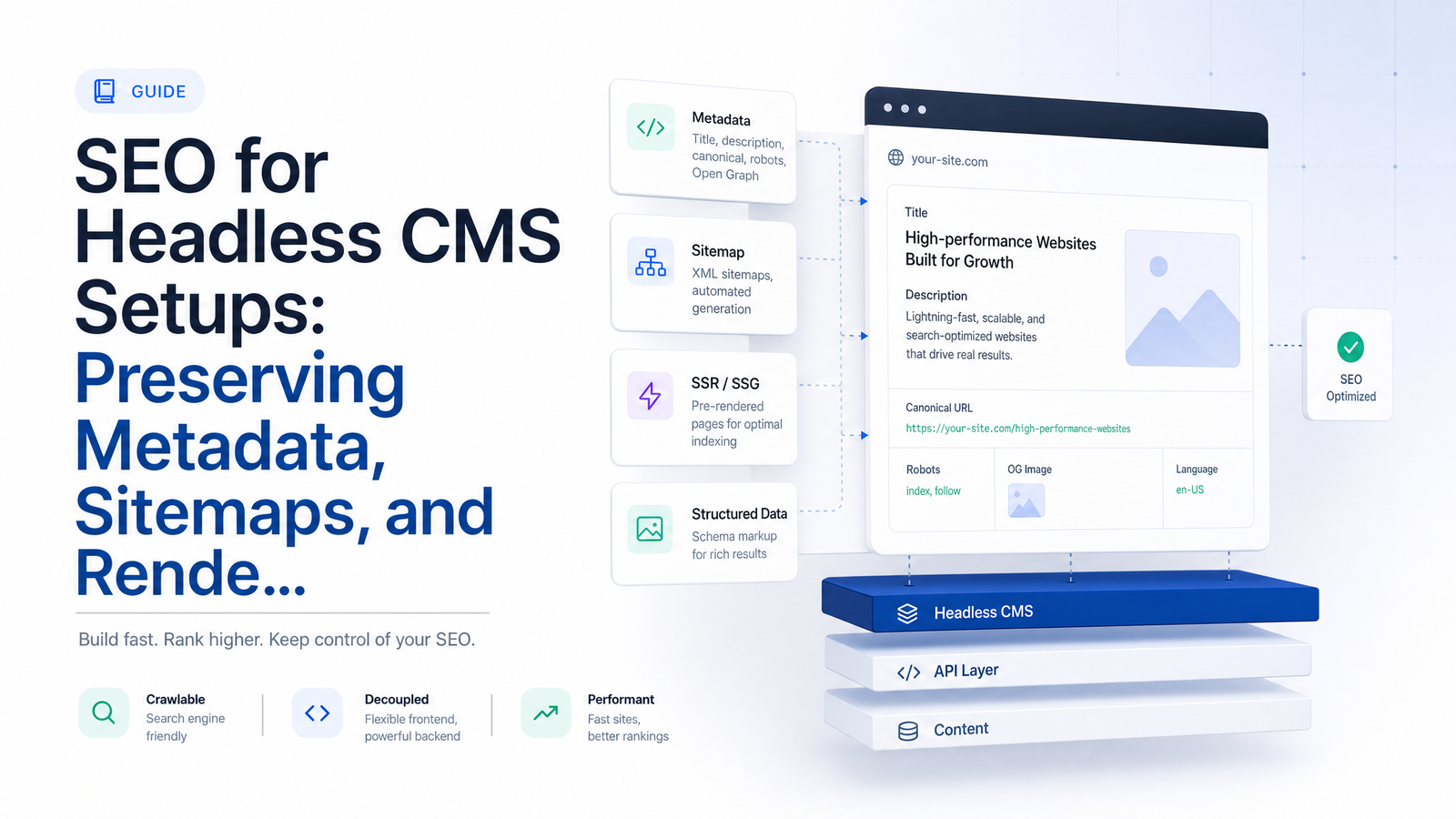
Most headless SEO advice stops at listing problems: JavaScript rendering is hard, there's no Yoast plugin, good luck. That's not a framework — it's a complaint. Headless CMS SEO is a systems-integration problem across three layers: the CMS where content is authored, the rendering framework that turns content into HTML, and the delivery/CDN layer that serves it to Googlebot. Fix the handoffs between those layers, and most "headless SEO problems" disappear before they cost you rankings.
This article gives you that framework: what breaks by default, who should own what, which rendering mode fits which page type, and a checklist you can run before launch and after every deploy.
What Breaks When You Go Headless (And Why It's Not the CMS's Fault)
A monolithic CMS like WordPress bundles content, metadata, routing, sitemap generation, and rendering into one system. Install a plugin, fill in a field, and the title tag, canonical URL, and sitemap entry all update together because one codebase controls the whole pipeline.
A headless architecture deliberately breaks that bundle apart. Content lives in Contentful, Sanity, or Strapi; the presentation layer lives in Next.js, Nuxt, or Gatsby, often pulling content through a GraphQL API; and rendered output gets served through a CDN. That separation is the entire point of going headless — it's what gives content teams flexibility and lets front-end teams ship faster. But nothing automatically bridges the gap between "content published in the CMS" and "correct, crawlable HTML delivered to a search engine."
That gap produces three predictable failure modes, mapped directly to the three layers:
- Metadata gets lost because the CMS doesn't know what an HTML
<head>is, and the front end wasn't built to read metadata fields from the API. - Sitemaps go stale because they were generated once at build time and never told that publishing now happens independently of deploys.
- Rendering becomes unpredictable because JavaScript frameworks can serve a blank shell to crawlers unless someone deliberately configures how pages render.
This is why teams migrating from WordPress to a headless stack often see organic traffic drop within weeks: none of these three layers has a default owner anymore. If your migration is still ahead of you, run through the SEO site migration checklist that protects your rankings before you cut over, not after traffic falls.
Layer 1: Preserving Metadata Across the CMS-to-Frontend Handoff
In a decoupled CMS setup, metadata has to be modeled and mapped explicitly — there's no plugin quietly injecting a title tag for you. Content editors need fields to enter metadata, and developers need to build the logic that reads those fields and writes them into the page head.
Headless CMS metadata management typically fails at one of three points:
- The content model has no SEO fields at all. Editors publish a page with a body and a headline, but there's no field for meta title, meta description, canonical URL, robots directive, or Open Graph image. The front end falls back to a generic default for every page on the site.
- The fields exist but the front end never reads them. Someone added an "SEO title" field in Sanity months ago, but the Next.js template still hardcodes a static title in its metadata export.
- The mapping is inconsistent across templates. Blog posts pull their canonical tag correctly; product pages don't, because they were built by a different developer at a different time.
The fix is to treat SEO metadata as its own reusable content type — an "SEO component" — with fields for title, description, canonical URL, robots directives, Open Graph tags, and structured data. Every page-level content type references this component, and every front-end template reads from it using the same shared rendering logic, instead of each template implementing its own head tags from scratch. This also solves the recurring complaint that editors can't control canonical tags or robots directives without a developer ticket — once the field exists and the mapping is built, editors control it directly from the CMS.
Canonical tags deserve special attention because headless setups are especially prone to inconsistent canonical handling — a CMS-level default that conflicts with a front-end-generated URL, or a canonical that points to a preview environment. For the specific failure patterns, see canonical tag troubleshooting: 5 failures basic audits miss.
Layer 2: Keeping Sitemaps Accurate When Publishing Is Decoupled From Deploys
"Headless CMS sitemap not updating" is one of the most common searches from teams a few months into a migration, and the cause is almost always the same: the sitemap was generated once, at build time, as a static file — and content kept publishing on a completely independent schedule.
In a monolithic CMS, publishing and sitemap generation are the same event. In a headless stack, an editor can publish ten new pages between deploys, and if your sitemap only regenerates on deploy, those pages are invisible to it until the next code push. The reverse problem is just as damaging: pages get deleted or unpublished, but the sitemap still lists them, and Googlebot keeps hitting dead URLs.
The fix is to stop treating the sitemap as a static asset and instead generate it dynamically from the CMS API — either at request time, or via incremental static regeneration (ISR) that revalidates on a schedule matching your publishing cadence. Concretely:
- Query the CMS API for all published, indexable content at sitemap-generation time, not at last deploy.
- Explicitly exclude preview URLs, draft content, and internal API routes — these should never appear in a public sitemap.
- Set the sitemap's own cache/revalidation window to something reasonable (minutes to hours, not "next deploy").
- Resubmit the sitemap in Google Search Console after major content model changes, and monitor the coverage report for a spike in "discovered, not indexed" or 404s from stale entries.
Sitemap automation isn't optional at any real publishing volume — it's the mechanism that keeps the gap between "published in the CMS" and "known to Google" measured in minutes instead of deploy cycles.
Layer 3: Choosing and Controlling Your Rendering Mode
This is where most headless SEO conversations get stuck on generic warnings about JavaScript instead of giving teams an actual decision. Here's the framework, by page type:
Static Site Generation (SSG) — best for evergreen marketing pages, documentation, and any content that changes infrequently. Pages are built once at deploy time, so Googlebot gets fully-formed HTML with zero rendering delay. Use it for landing pages, about pages, and cornerstone content.
Incremental Static Regeneration (ISR) — best for content that updates regularly but doesn't need to be real-time: blog indexes, product listings, category pages. ISR serves static HTML while revalidating in the background on a set interval, so new CMS publishes show up without a full rebuild.
Server-Side Rendering (SSR) — best for pages where content genuinely needs to be fresh on every request: search results pages, inventory-dependent product pages, or anything personalized by query parameters but still crawlable. SSR guarantees Googlebot receives complete HTML on first request, at the cost of more server load than SSG.
Client-Side Rendering (CSR) — appropriate for logged-in dashboards, account settings, and other content that should never be indexed anyway. CSR is the wrong choice for any page you want ranked, because it depends on Googlebot executing JavaScript successfully before it sees your content — and that step is where things silently fail.
A note on a workaround you'll still see recommended in older articles: dynamic rendering — serving a pre-rendered snapshot to bots while serving the JS version to users — is no longer a supported long-term fix. Google has dropped dynamic rendering from its official JavaScript SEO guidance, pointing developers toward SSR, static rendering, or hydration instead. The workaround was always fragile — it requires maintaining a separate rendering pipeline just for bots, and mismatches between the bot-facing snapshot and the user-facing page are themselves a cloaking risk. If dynamic rendering is currently propping up your setup, treat it as technical debt, not infrastructure.
Whichever mode you choose, verify what Googlebot actually receives, not what your browser shows you. Use URL Inspection in Search Console to fetch the rendered HTML, and compare it against your page's DOM in dev tools. A mismatch there — content visible to users but missing from the fetched render — is the single most common reason rankings drop after a headless migration despite the site "looking fine." Rendering speed also feeds directly into Core Web Vitals, so if pages are technically indexing but underperforming, the fix often lives in performance tuning rather than rendering mode — see the Core Web Vitals fix-it playbook for that layer.
A Quick Pre-Launch and Ongoing Audit Checklist
Run this headless CMS SEO checklist before launch, and again after any template change, content model update, or front-end redeploy:
- Metadata: Every template pulls title, description, canonical, robots, and OG tags from the shared SEO component — no hardcoded fallbacks.
- Canonicals: Canonical URLs resolve to the live production domain, never to preview, staging, or API endpoints.
- Sitemap: New pages appear in the sitemap within your revalidation window; deleted pages drop out automatically; draft/preview routes are excluded.
- Rendering: The rendering mode matches the page type (SSG/ISR for static and semi-static content, SSR for dynamic-but-crawlable content, CSR reserved for non-indexable content).
- Verification: Rendered HTML fetched via Search Console's URL Inspection tool matches what a logged-out user sees — no blank shells, no missing content blocks.
- Structured data: Schema markup renders in the initial HTML response, not injected client-side after page load.
- Editor control: Content editors can update metadata, canonical URLs, and robots directives without opening a developer ticket.
This is exactly the kind of multi-layer check a dedicated site audit tool is built to run repeatedly, rather than something you re-verify manually every time someone ships code.
Why This Needs Continuous Monitoring, Not a One-Time Fix
Every one of these failure modes reappears. A developer adds a new page template and forgets to wire it into the shared SEO component. A content modeler adds a new content type without an SEO field. Someone tweaks the ISR revalidation window and sitemap freshness quietly degrades. None of these show up immediately — they show up three to six weeks later as a slow bleed in organic traffic, by which point you're debugging blind.
That's the real argument for automated, recurring audits over manual spot checks: headless architecture doesn't have a single point where SEO health gets validated, so nothing forces a human to notice a regression until rankings already reflect it. Automated auditing closes that gap by checking metadata coverage, sitemap freshness, and rendered output on a schedule, tied to actual rank tracking — so you see the technical regression before it becomes a traffic drop, not after.
Rankevra runs automated audits across all three layers — metadata, sitemaps, and rendering — alongside rank tracking and content publishing, so technical marketers and content teams catch these regressions on an ongoing basis instead of waiting for the next full developer sprint to investigate a traffic drop.
Frequently Asked Questions
Why doesn't my headless CMS automatically generate meta titles and descriptions?
Because a headless CMS only stores content — it has no concept of an HTML <head> or how your front end assembles a page. Meta titles and descriptions only appear if you've explicitly added SEO fields to your content model and built front-end logic to read those fields into the rendered page. Without that mapping, templates fall back to generic defaults or blank tags.
Do I need a separate XML sitemap generator for a headless CMS, or can the CMS handle it?
You need sitemap logic in your front end or a middleware layer, because most headless CMS platforms don't natively generate a public-facing XML sitemap tied to your live routes. The reliable approach is to generate the sitemap dynamically from the CMS API — at request time or via scheduled ISR revalidation — so it reflects publishes and deletions without waiting for a deploy.
Is client-side rendering (CSR) really bad for SEO in a headless setup?
Yes, for any page you want indexed and ranked. CSR requires Googlebot to execute JavaScript successfully before it sees your content, and that step introduces delay and failure risk that SSR or SSG avoid entirely. CSR is fine for logged-in dashboards and other non-indexable content, but not for pages competing for organic traffic.
Should I still use dynamic rendering for my JavaScript-heavy headless site?
No — Google has removed dynamic rendering from its official JavaScript SEO documentation and now recommends SSR, static rendering, or hydration instead. Dynamic rendering was always a fragile workaround requiring a separate bot-facing rendering pipeline, and maintaining parity between that snapshot and the real user experience adds risk without long-term benefit.
What's the difference between SSR, SSG, and ISR, and which is best for SEO?
SSG builds pages once at deploy time and works best for evergreen content like marketing pages; SSR renders pages fresh on every request and suits content that must stay current, like inventory-driven product pages; ISR combines both by serving static pages that regenerate on a schedule, which fits blogs and listings that update regularly but not constantly. There's no single "best" mode — the right choice depends on how often each page type's content changes.
How do I know if Google is actually indexing the rendered version of my headless pages?
Use the URL Inspection tool in Google Search Console to fetch and view the rendered HTML Google receives, then compare it against what you see in your browser's dev tools. If content visible to users is missing from that fetched render, Googlebot is likely seeing an incomplete page, which is a common and often invisible cause of ranking drops after a headless migration.
Keep reading
- Meta Title & Description Optimization at ScaleA template-driven system for meta title description optimization across hundreds of URLs — pixel limits, page-type formulas, and a GSC CTR loop.
- Google Algorithm Update Recovery: A Diagnostic FrameworkA step-by-step google algorithm update recovery framework: confirm the cause, rule out technical issues, classify the loss, and time your fixes right.
- International SEO Site Architecture: ccTLD vs Subdomain vsA business-first framework for choosing international SEO site architecture — ccTLD, subdomain, or subdirectory — before hreflang enters the picture.