Rankevra Blog
Headless CMS SEO: Fixing the Gaps Generic Tools Miss
September 30, 2026
Why Headless CMS SEO Breaks Differently Than Traditional SEO
WordPress and other traditional CMSs bundle SEO defaults you rarely think about: a title tag pulled from the post name, an auto-generated sitemap, server-rendered HTML that Googlebot can read immediately. Headless architecture removes all of that deliberately — the CMS stores content as structured data and hands rendering, metadata, and discoverability entirely to whoever builds the front end.
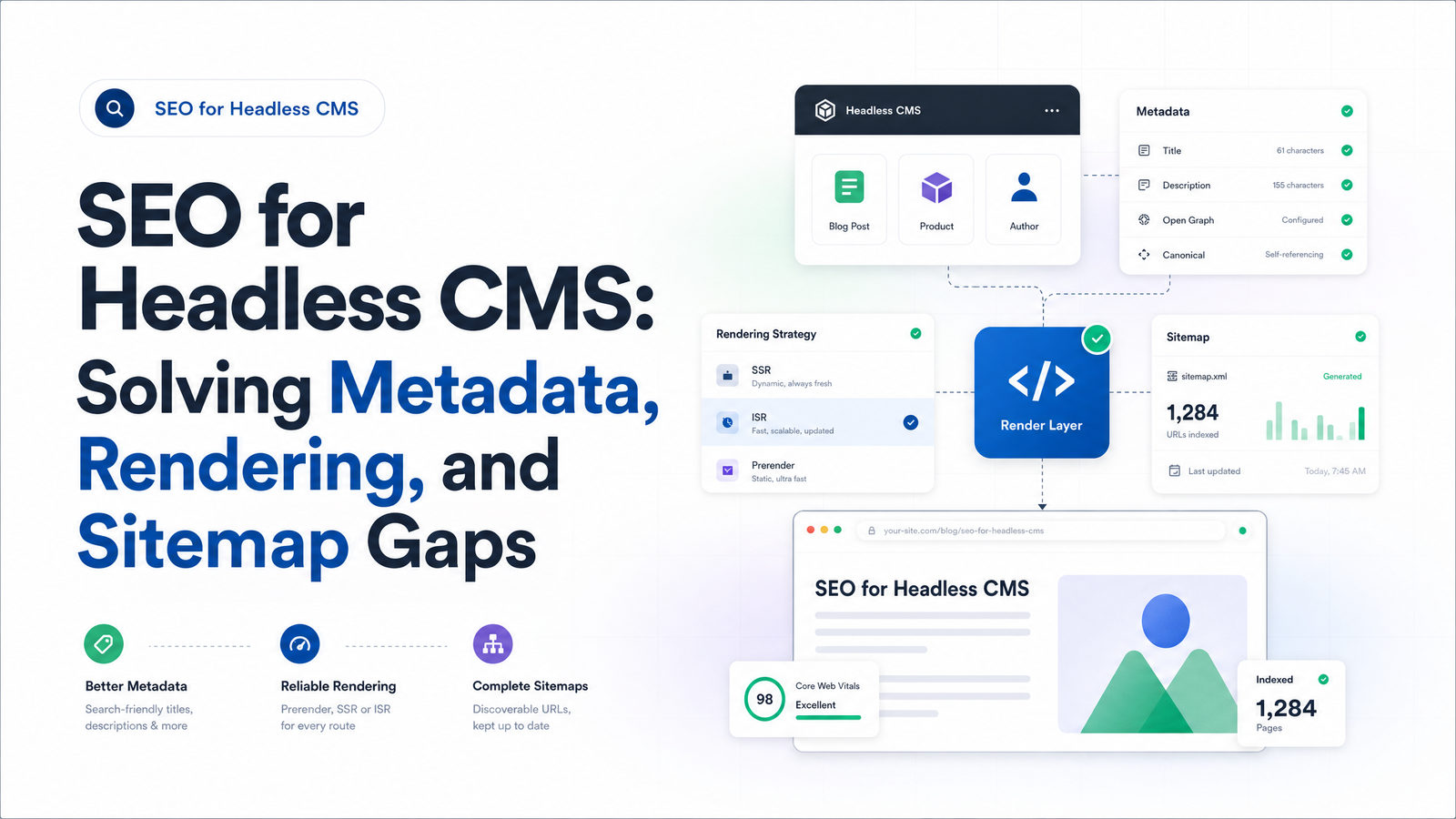
That's the root cause behind almost every headless CMS SEO problem. Decoupled CMS SEO isn't harder because search engines treat headless sites differently in principle; it's harder because nobody configured what a monolithic CMS used to configure for free. The gap shows up in three places: rendering (does Googlebot see your content?), metadata (do pages have titles, descriptions, schema?), and sitemaps (does anything signal when content changes?).
Treat these as one problem with three symptoms. Fix the pattern — content modeling and deployment need to own what the CMS no longer does — and each issue gets easier to diagnose. The rest of this guide walks through each gap, how to test for it, and how to keep it fixed as your site grows.
The Rendering Gap: Why Googlebot Might Not See Your Content
Google indexes JavaScript-heavy pages in two passes. In wave one, Googlebot crawls the raw HTML and queues anything needing JavaScript execution for later. In wave two — minutes, hours, or days afterward — Google renders the page in a headless browser and extracts whatever content and links appear after scripts run. This two-wave indexing is what makes javascript rendering SEO a genuinely different discipline from static-HTML SEO.
If your front end uses pure client-side rendering (CSR), your initial HTML is often just a script tag and an empty <div id="root">. Everything you want indexed only exists after wave two. That's not automatically fatal — Google can render JavaScript — but it adds delay, and delay compounds risk: crawl budget is finite, rendering is expensive for Google to allocate, and any script error, timeout, or blocked resource during that second pass can mean content never gets indexed. Firewire Digital's breakdown of headless SEO covers why Google now treats dynamic rendering workarounds as brittle rather than durable — patching around CSR isn't the same as removing the problem.
The decision rule: if a page needs to rank, don't make Google wait for wave two. Server-side rendering vs client-side rendering isn't a religious debate — it's a question of whether search visibility matters for that route.
- SSR (server-side rendering): generate HTML per request. Best for pages that change often and must be current at first paint — product pages, listings, personalized content.
- SSG (static site generation): pre-build HTML at deploy time. Best for content that changes on a known schedule — blog posts, marketing pages, docs.
- ISR (incremental static regeneration): static HTML that revalidates on a timer or on-demand — SSG's speed without a full rebuild per update.
- Pure CSR: acceptable only for routes with no organic search intent — internal dashboards, logged-in app views.
Headless CMS JavaScript SEO problems almost always trace back to a page that should be SSR/SSG/ISR but was left as CSR because it was faster to ship. Rendering choices also ripple into page speed — see this Core Web Vitals fix-it playbook for how rendering strategy affects LCP and INP.
The Metadata Gap: Why Titles, Descriptions, and Schema Go Missing
A traditional CMS gives every post a title field and permalink out of the box. A headless CMS gives you a content model with whatever fields you defined — if nobody added metaTitle, metaDescription, and ogImage, those fields simply don't exist. This is the core insight behind metadata headless CMS management: metadata must be treated as content, authored and stored like body copy, not hard-coded into a template or bolted on afterward.
The failure mode that trips up more teams than a missing field is when metadata gets rendered. If your title tag, meta description, or JSON-LD schema are injected into the <head> via client-side JavaScript after the page loads, that content may not exist in the wave-one HTML Googlebot first reads. Core DNA's glossary entry on headless CMS SEO frames rendering as the "first-order question" in headless SEO because everything downstream — including metadata and structured data — inherits whatever rendering strategy you picked. Headless CMS structured data is worth checking directly: JSON-LD headless CMS implementations often work in the browser's rendered DOM but never reach crawlers reliably if client-injected on a CSR route.
A practical content-modeling checklist for any headless project:
- Every content type mapped to a URL has dedicated
metaTitleandmetaDescriptionfields — not a fallback that concatenates the H1 and a boilerplate suffix. - Open Graph and Twitter card fields exist separately from meta description, since they serve social preview rather than search snippet purposes.
- JSON-LD schema is built from structured content fields (author, datePublished, price, availability) rather than hand-written per page.
- Title tag headless CMS logic renders server-side or at build time — never purely client-injected for indexable routes.
- Fallback values are defined for every field so an empty CMS field doesn't ship a blank title tag to production.
- Canonical tags are part of the same server-rendered output, especially across preview and staging domains — a common failure point covered in this canonical tag troubleshooting guide.
The Sitemap Gap: Why Headless Sites Miss New Content
Ask a WordPress site for its sitemap and it's already there, auto-updating with every publish. Headless CMSs don't do this. Content lives in the CMS as an API response; the sitemap lives on the front end (or wherever you build it), and nothing connects the two unless someone wires that connection deliberately. Prepr's developer documentation is blunt: headless CMS sitemap generation requires dedicated development effort that traditional platforms don't demand.
Skip that effort and you get two problems. New content sits unlisted in your XML sitemap, relying on Googlebot to discover it through internal links or luck — slower indexing, especially for frequent publishers. And old content that's been unpublished or redirected stays listed indefinitely, creating zombie URLs and orphaned pages that waste crawl budget and confuse canonicalization signals.
The fix is a headless CMS sitemap process triggered by the same event that triggers publishing, not a scheduled batch job hoping nothing changed since. A webhook-driven pattern looks like this:
- Content is published, updated, or unpublished in the CMS.
- A webhook fires to your front end or a serverless function.
- That function regenerates (or incrementally updates) the sitemap entry for that URL — adding new pages, updating
lastmoddates, removing deleted ones. - If traffic volume warrants it, the updated sitemap pings search engines directly rather than waiting for the next crawl.
This is xml sitemap automation done right: sitemap state always matches CMS state, with no manual re-export step. Teams migrating from a monolithic CMS should build this before launch, not after — it's one of the most common gaps in a headless site migration, since the old platform's sitemap plugin has no headless equivalent to hand things off to.
A Quick Audit: Checking Your Headless Site for These Three Gaps
Before reaching for tooling, you can check all three gaps manually on any page in about ten minutes. This is the headless CMS SEO checklist worth running on a handful of key templates today:
- View-source check: Right-click a page and select "View Page Source" (not "Inspect"). If your title, meta description, body copy, and links aren't in that raw HTML, they're relying on client-side rendering for wave-two indexing.
- Rendered HTML metadata check: Use Google Search Console's URL Inspection tool, click "Test Live URL," then view the rendered HTML. Confirm
<title>,<meta name="description">, canonical tag, and JSON-LD all appear as intended — not just in the browser DOM, but in what Google says it rendered. - Sitemap freshness check: Open your XML sitemap and compare its most recent
lastmodentries against your CMS's actual publish log. Spot-check that a page published this week is already listed, and one removed last month is gone. - Orphan check: Pick three URLs from your sitemap at random and confirm they resolve with a 200 status and still exist as intended content — not a redirect or a leftover 404 from a prior migration.
Running this by hand on a handful of pages is a fine sanity check, not a monitoring strategy — see the section below, and this breakdown of what a site audit tool actually checks for what a scaled version of this checklist looks for.
Keeping Headless SEO Fixed as You Scale
A manual audit works for five pages. It falls apart at five hundred, faster still once your team ships weekly. Every new template, content model change, or front-end refactor is a fresh opportunity to reintroduce a rendering regression, drop a metadata field, or break the sitemap webhook — quietly, with no error message, until organic traffic dips and nobody's sure why.
This is the case for treating headless CMS SEO monitoring as continuous infrastructure rather than a pre-launch task. Rankevra automates the exact three checks in this article — verifying rendered HTML matches intended metadata, confirming sitemap entries stay synced with publish events, and tracking rank movement so a regression surfaces as a ranking change traceable to a specific deploy, not a mystery months later. Deciding what to automate versus what still needs a human eye is its own question, covered in this SEO automation workflow guide — but metadata, rendering, and sitemap checks are exactly the repetitive, high-frequency work that shouldn't depend on someone remembering to re-check after every release.
Frequently Asked Questions
Does using a headless CMS hurt SEO?
Not inherently — headless CMSs remove SEO defaults rather than blocking SEO outright. Problems appear when teams don't rebuild those defaults (metadata fields, server-side rendering, sitemap generation) on the front end, not because search engines penalize decoupled architecture itself.
Is server-side rendering required for headless CMS SEO, or can I use client-side rendering?
Server-side rendering, static generation, or incremental static regeneration is strongly recommended for any page that needs to rank, because it puts content in the HTML Googlebot reads on its first crawl pass. Pure client-side rendering delays visibility to Google's second, slower rendering wave and adds risk of content never being indexed if that pass fails.
How do I add meta titles and descriptions in a headless CMS?
Add dedicated metaTitle and metaDescription fields to your content model, separate from the page title or body copy, and populate them for every page type mapped to a URL. Ensure your front end renders those fields server-side or at build time, with sensible fallback values so no page ships with a blank tag.
Why doesn't my headless CMS generate an XML sitemap automatically?
Headless CMSs store content through an API and have no built-in concept of a public-facing sitemap file, unlike traditional platforms that bundle sitemap generation into the CMS itself. Building and maintaining the sitemap becomes the front-end team's responsibility, typically via a webhook-triggered process tied to publish events.
How long does it take Google to index a headless site's JavaScript-rendered content?
It depends on two-wave indexing — wave one crawls raw HTML instantly, but wave two, where JavaScript actually executes, can take anywhere from minutes to several days depending on Google's rendering queue and crawl budget for your site. Pages rendered server-side skip this delay entirely since content is already present in wave one.
What's the biggest SEO mistake teams make when migrating from WordPress to a headless CMS?
Assuming the new front end will replicate WordPress's built-in SEO behavior — automatic sitemaps, default metadata, server-rendered HTML — without explicitly building each of those in. Migrations should map every SEO default the old CMS provided to an equivalent feature in the new stack before launch, following a structured migration checklist rather than launching and patching gaps afterward.
Keep reading
- Content Decay SEO: How to Detect It and Fix It for GoodLearn to detect content decay SEO issues early, rule out false positives, and build a refresh pipeline that scales — plus how to automate the whole loop.
- Google Algorithm Update Recovery: A Diagnostic FrameworkA step-by-step google algorithm update recovery framework: confirm the cause, segment the damage, benchmark against winners, and set a real timeline.
- SEO for Product-Led SaaS: The Free-Tool Page PlaybookA repeatable framework for SEO for product-led SaaS: which features to turn into free-tool pages, how to structure them, and how to track what works.