Rankevra Blog
Visual Search SEO: The Complete Framework for 2026
September 10, 2026
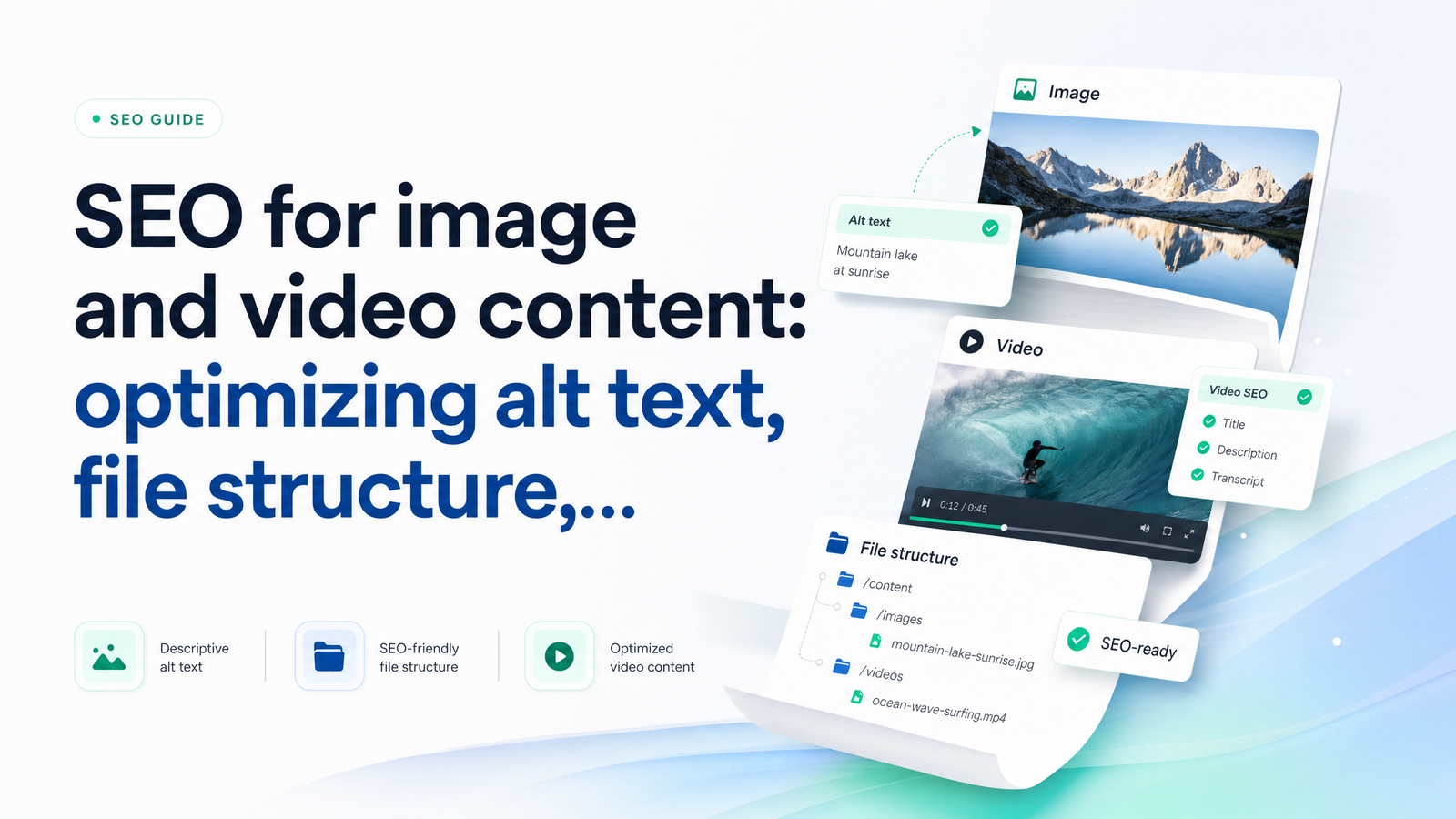
Google Lens processes billions of visual searches, AI Overviews routinely cite images and video clips as sources, and standard text SERPs now embed image carousels and video thumbnails above the fold. If your images and video aren't structured to be read by both crawlers and AI systems, you're invisible in a growing share of search — even when your written content ranks well. Most guides treat visual search SEO as three unrelated checklists. It isn't. It's one system.
What Visual Search SEO Actually Covers
Visual search SEO is the practice of making images, video, and the metadata around them discoverable across three overlapping surfaces: traditional image search (Google Images), video search (Google Video, YouTube), and AI-driven multimodal discovery — Lens-style visual queries and generative answers that pull in visual sources alongside text.
These surfaces used to be niche traffic sources. Now they're default behavior. Google Images optimization used to mean stuffing keywords into alt attributes; today it means feeding a system that also determines whether your product photo shows up in a Lens result or whether your explainer video gets pulled into an AI Overview as a cited clip.
A workable visual content SEO strategy rests on three layers, in order:
- Access — can crawlers actually reach and render the asset?
- Metadata — does the filename, alt text, and surrounding context describe it accurately?
- Schema — is there structured data telling machines exactly what the asset is and how it relates to the page?
Skip a layer and the ones above it stop mattering. Perfect alt text on an image blocked by robots.txt does nothing. Flawless VideoObject schema on a video Google can't index isn't read. Treat this as a stack, not a list.
Layer 1: Make Images and Video Actually Discoverable
Before you touch a single alt attribute, confirm the asset is actually crawlable. This is the layer most audits skip, and it's the one that silently kills everything downstream.
Check for blocking and rendering issues. Images and video referenced only through JavaScript that doesn't render server-side, or wrapped in lazy-load implementations that never fire without a scroll event, are frequently invisible to crawlers even though they're visible to a human visitor. Confirm nothing in robots.txt or noindex directives is excluding your /images/ or /media/ directories.
Use stable, direct URLs. Assets that move, get regenerated with new query strings on every deploy, or live behind redirect chains lose accumulated indexing signal. A stable file path is worth more than a clever CDN trick that breaks URL permanence.
Fix file weight and format. Oversized JPEGs and PNGs slow page load, and page speed is itself a ranking and crawl-budget factor. Convert to WebP or AVIF where supported, and size images for their actual display dimensions rather than shipping a 4000px original into a 400px container. This overlaps directly with Core Web Vitals — specifically Largest Contentful Paint, which is frequently an image element. If your LCP element is an unoptimized hero image, you have a page speed problem before you have an SEO metadata problem. For a deeper technical walkthrough, see this Core Web Vitals fix-it playbook.
For video specifically, Google's own guidance is worth following closely: embedding methods, hosting choices, and thumbnail requirements all affect eligibility for video indexing. The official video SEO best practices from Google Search Central cover the exact technical requirements — self-hosted vs. third-party players, thumbnail dimensions, and duration metadata — that determine whether a video is even a candidate for rich video results.
Layer 2: Alt Text and File Structure That Search Engines and Screen Readers Both Understand
Once assets are reachable, metadata is what makes them legible. This layer serves two audiences simultaneously — accessibility tools and search crawlers — and good execution does both jobs at once.
Alt text best practices, concretely:
- Describe what's actually in the image, as if to someone who can't see it. "Woman reviewing marketing dashboard on laptop" beats "marketing image."
- Keep it under roughly 125 characters — long enough for screen readers to convey meaning, short enough to stay scannable.
- Include one relevant keyword only if it fits naturally. Forcing a keyword into a description that doesn't need it reads as spam to both a screen reader user and an algorithm.
- Drop "image of," "photo of," or "picture of" — screen readers already announce the element as an image, so the prefix is redundant.
- Leave
alt=""empty for purely decorative images (icons, dividers) so screen readers skip them entirely.
Image file naming for SEO follows the same logic as alt text: descriptive, not decorative. red-leather-office-chair-swivel.jpg tells a crawler what's in the frame before it ever renders the file. IMG_4821.jpg tells it nothing. Aim for three to eight hyphenated words — specific but still readable in a URL.
Folder structure matters more than most site owners assume. A consistent pattern like /images/products/chairs/ versus a flat dump of thousands of files in /uploads/ gives crawlers a topical hierarchy to reason from, reinforcing topical authority signals the same way a clean content silo does.
Don't isolate the image from the page. Captions, surrounding paragraph text, and figure elements all provide context that search engines cross-reference against your alt text and filename. If the three tell inconsistent stories, the strongest signal wins and the others get discounted. A simple image SEO checklist — access confirmed, filename descriptive, alt text under 125 characters, caption present, folder logical — catches most of what actually moves rankings.
Layer 3: Video Schema and When to Use It
Structured data is what turns a video from "a file on the page" into "a machine-readable entity with a title, duration, thumbnail, and upload date." Video schema markup, specifically the VideoObject type, is how you make that explicit.
Required and strongly recommended fields for VideoObject structured data include name, description, thumbnailUrl, and uploadDate at minimum, with duration and contentUrl or embedUrl strongly recommended for eligibility in video-rich results. Missing thumbnail or duration fields are among the most common reasons video schema gets ignored or flagged with errors in testing tools.
The distinction that trips people up is whether the video is the primary content of the page or supporting material inside an article. If a page exists specifically to host a tutorial or product demo, mark it up as a standalone VideoObject. If a video is embedded partway through a blog post to illustrate a point, nest the VideoObject inside your Article or BlogPosting schema instead of duplicating it as a separate top-level entity. Declaring the same video as both a standalone primary asset and a nested supporting one on the same page creates schema conflicts that validators — and likely Google's parser — resolve unpredictably. For the broader mechanics of structured data implementation, this guide to schema markup fundamentals is worth reading alongside this section.
For larger video libraries, a video sitemap gives Google a consolidated list of every video URL, thumbnail, and title in one file — useful for discovery at scale, especially on sites where videos aren't all linked from a single crawlable hub. And for longer-form video, Key Moments (Clip markup or the hasPart schema property) lets you define timestamped segments that can surface as jump-to links directly in search results, meaningfully increasing click-through for tutorial and how-to content.
A Prioritized Action Plan (and How to Verify It Worked)
Work in this order — each step assumes the previous one is done, and doing them out of sequence wastes effort.
- Fix access issues first. Audit robots.txt, check for JavaScript-hidden or lazy-loaded assets that never render for crawlers, and confirm image/video URLs are stable and not redirect-chained.
- Rewrite filenames and alt text on your highest-traffic and highest-intent pages before touching low-value pages. Product pages and top blog posts first; archive pages last.
- Add VideoObject schema to priority video pages, choosing standalone vs. nested structure deliberately, and build a video sitemap if you have more than a handful of videos.
- Validate everything in Google's Rich Results Test and the video-specific reports in Search Console. Schema that validates syntactically but doesn't match on-page content will still generate warnings.
- Monitor ongoing performance using the Images and Video filters inside Search Console's Performance report, tracking impressions and clicks specifically from those surfaces rather than blended totals.
This sequencing mirrors how technical SEO prioritization should work generally — fix what blocks crawling before you optimize what's already crawlable. If you're running this alongside a broader technical cleanup, this prioritized technical SEO action plan covers how to sequence visual fixes against other site-wide issues competing for the same engineering time.
Why This Doesn't Scale Manually — and What to Do Instead
None of this is conceptually hard. It's operationally brutal at scale. A site with 400 blog posts, a product catalog, and a video library easily has 5,000+ images and hundreds of embedded videos. Manually checking each one for crawlability, rewriting alt text, verifying filename structure, and validating schema is a multi-week project for a solo marketer — and it goes stale again the moment new content ships.
That's the gap a site audit tool is built to close: continuous crawling that flags missing alt text, broken or oversized image files, and invalid or conflicting schema automatically, rather than requiring a manual sweep every quarter.
Rankevra runs this exact loop as a single automated workflow instead of a pile of disconnected tools. Its site audit engine detects blocked or slow-loading images, missing or malformed alt text, and video pages with broken or absent VideoObject schema. Its AI content workflow can generate and insert corrected alt text and descriptive filenames at scale. And its schema checks validate VideoObject and ImageObject markup before it ships, catching the standalone-vs.-nested conflicts described above before they cost you rich results.
Manually auditing hundreds of pages doesn't scale — automation does
Running the access → metadata → schema checklist by hand across a growing site is a losing race against your own publishing velocity. Rankevra automates the detection-and-fix loop — audit, content, and schema validation in one workflow — so your visual search SEO stays correct continuously instead of only right after a manual audit.
Frequently Asked Questions
Do I need to add a keyword to every image's alt text?
No. Alt text should describe what's genuinely in the image first, and a keyword should only appear if it fits naturally into that description. Forcing keywords into alt text that doesn't need them reads as spam to both screen readers and search algorithms, and can hurt rather than help.
What's the difference between image SEO and visual search SEO?
Image SEO is one component — optimizing alt text, filenames, and file formats for a single image. Visual search SEO is the broader discipline covering images, video, and AI-driven multimodal discovery (like Google Lens and AI Overviews), including access, metadata, and structured data across all of it.
Should every embedded video have its own VideoObject schema?
Not necessarily as a standalone entity. If the video is the page's primary content, use a standalone VideoObject; if it's supporting material inside a blog post, nest the VideoObject inside your Article or BlogPosting schema to avoid conflicting declarations on the same page.
How long should alt text be for SEO?
Keep alt text under roughly 125 characters. That's long enough to accurately describe the image for screen readers and search crawlers, while staying concise enough to avoid being cut off or read as keyword stuffing.
Does a video sitemap replace the need for VideoObject schema?
No, they serve different purposes. A video sitemap helps Google discover and crawl video URLs across a large library, while VideoObject schema provides the structured details — thumbnail, duration, upload date — needed for a video to qualify for rich results; most sites with substantial video content need both.
Can images and videos actually show up in AI Overviews or AI search answers?
Yes, AI Overviews and other generative search features increasingly cite images and video clips as sources alongside text, particularly for how-to, product, and comparison queries. Assets with clean access, accurate metadata, and valid schema are far more likely to be pulled into these AI-generated answers than unoptimized ones.
Keep reading
- Content Decay SEO: How to Detect and Fix It Before RankingsLearn the statistical definition of content decay SEO, how to detect it early with GSC, and a triage framework to refresh, merge, or prune pages.
- SEO Audit Workflow: Merge Crawl, GSC & Rank DataA repeatable SEO audit workflow that joins crawl data, GSC, and rank tracking into one prioritized fix list — instead of three disconnected reports.
- JavaScript SEO: Diagnose & Fix Rendering Indexing IssuesJavaScript SEO issues explained by symptom: empty indexed pages, missing content, wrong meta tags. Framework-specific fixes for React, Vue/Nuxt, Next.js.