Rankevra Blog
Technical SEO Issues: What They Are and Why They Matter
August 22, 2026
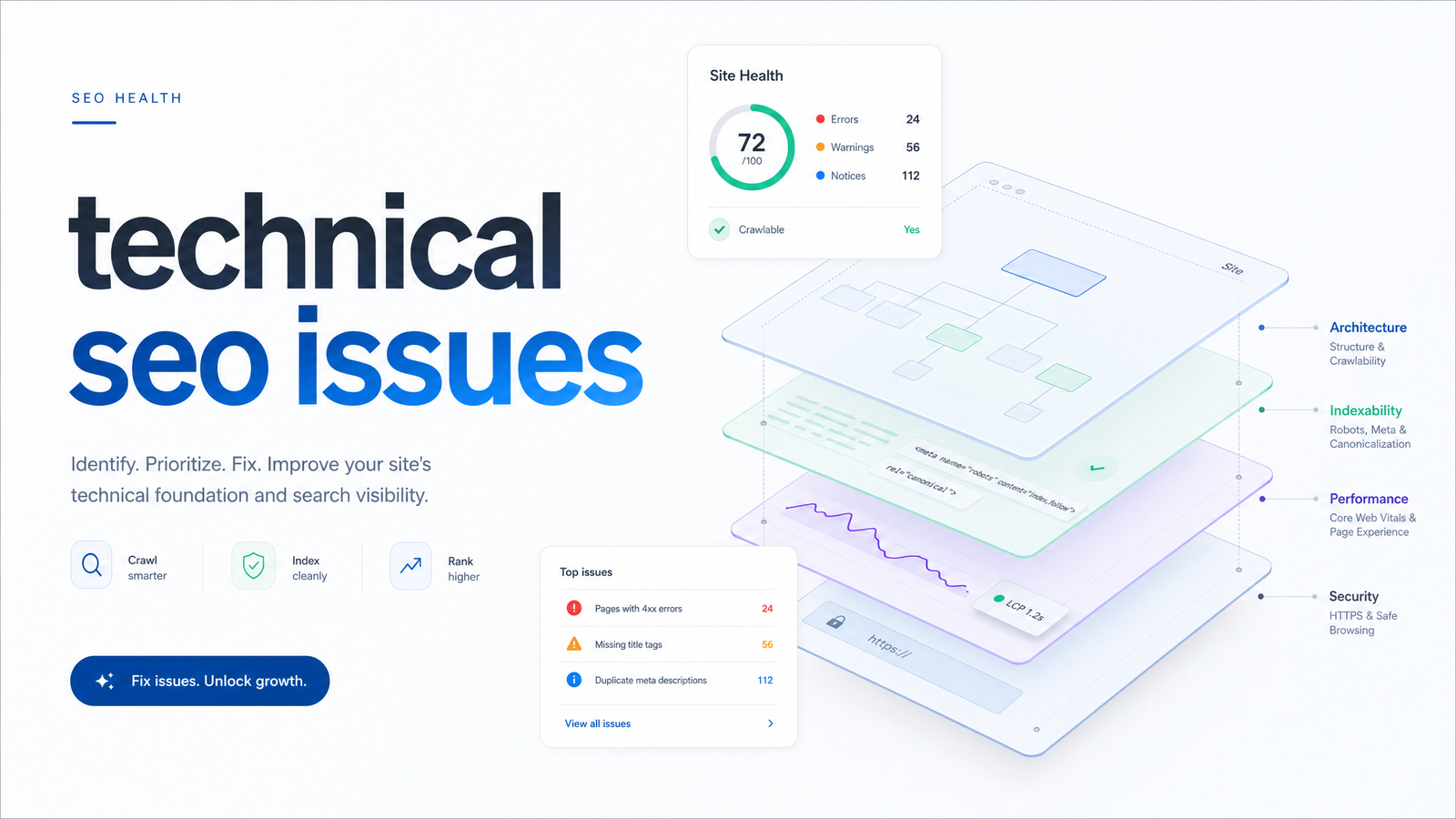
Type "technical SEO issues" into Google and you'll land on either a 200-item audit checklist or a step-by-step fix-it plan. Both skip a question most readers actually have first: what is a technical SEO issue, and how do I know if what I found actually qualifies? This guide defines the category, maps its major types, and explains why these problems quietly cap your rankings even when your content is excellent. Once you understand what you're looking at, our priority action plan covers what to fix first.
What Actually Counts as a Technical SEO Issue
A technical SEO issue is anything that interferes with a search engine's ability to crawl, render, index, or serve your pages correctly — independent of how good the writing on those pages is. It lives in the infrastructure layer: server responses, HTML directives, JavaScript rendering, page speed, security protocols, and markup. If Googlebot can't reach a page, can't understand it, or gets a signal telling it not to bother, that's technical.
This is the key line separating technical vs on-page SEO: on-page and content issues involve what is on the page — keyword targeting, thin copy, weak headings, missing internal links, poor search intent match. Technical issues involve whether that page is even reachable and eligible to compete in the first place. A perfectly optimized article sitting behind a broken canonical tag or blocked by robots.txt never gets the chance to rank on its content merits — the technical layer decides whether the content layer even gets evaluated.
That distinction matters because teams often diagnose the wrong problem. A page with declining traffic gets rewritten and re-optimized for keywords, when the actual cause is a redirect chain, a leftover staging noindex tag, or a slow server response discouraging full crawling. Fixing content can't repair a technical fault, and no amount of technical cleanup fixes genuinely weak content. Both categories matter, but they require different diagnostic instincts — exactly why technical SEO deserves its own mental model.
The 6 Categories of Technical SEO Issues
Rather than memorizing a long checklist, sort every issue into one of six buckets. Nearly everything you'll find during an audit fits somewhere here.
1. Crawlability issues — problems that stop search engines from reaching your pages at all. Examples: a misconfigured robots.txt disallowing important directories, broken internal links creating dead ends, or excessive redirect chains wasting crawl requests before Googlebot reaches the destination.
2. Indexability issues — the page is crawled but excluded from the index anyway. Examples: accidental noindex tags, conflicting or self-canceling canonical tags pointing to the wrong URL, or duplicate content consolidated in a way you didn't intend. Canonical conflicts are common and hard to spot manually — this troubleshooting guide covers five failure patterns basic audits routinely miss.
3. Site architecture issues — structural problems in how pages link to and relate to each other. Examples: orphaned pages with no internal links pointing to them, overly deep click depth burying important content, or a flat structure that fails to signal topical hierarchy.
4. Page experience and Core Web Vitals issues — problems affecting how real users and Google's ranking systems experience load speed and interactivity. Examples: poor Largest Contentful Paint from unoptimized images, or high INP caused by heavy JavaScript delaying responsiveness. The evidence behind how much these actually move rankings is nuanced — see this evidence-based breakdown.
5. Structured data issues — schema markup that's missing, invalid, or mismatched with visible page content. Examples: product schema referencing a price no longer shown on the page, or FAQ schema on content that no longer contains a Q&A format. These issues don't just risk rich-result eligibility; malformed schema can trigger manual review flags.
6. Security and protocol issues — problems at the connection and configuration level. Examples: mixed content warnings from HTTP resources loading on HTTPS pages, missing HSTS configuration, or expired SSL certificates triggering browser warnings and crawl hesitancy.
Every issue you'll encounter — from a stray 404 to a botched hreflang tag — slots into one of these six categories. Instead of scanning a 200-line list, ask "is this a crawl problem, an indexing problem, a structure problem, an experience problem, a markup problem, or a protocol problem?" and you immediately know what kind of fix it needs.
Why These Issues Cap Your Rankings Even When Content Is Good
Technical issues suppress rankings through a mechanism that has nothing to do with quality: eligibility. Search engines allocate a finite crawl budget to every site — a limit on how many URLs they'll request within a given timeframe. When that budget gets consumed by redirect chains, duplicate parameter URLs, or infinite crawl traps, fewer resources remain to discover and re-crawl your genuinely valuable pages. On larger sites this waste is substantial: research cited in Scalarly's technical SEO audit checklist points to Oncrawl data showing a meaningful share of crawl activity gets spent on low-value or non-indexable URLs instead of the content that matters.
Crawl budget waste compounds with rendering and indexing friction. A page can be crawled but never rendered properly if JavaScript execution fails or times out, meaning Google sees a blank shell instead of your content. A page can render fine but still get excluded from the index due to a canonical pointing elsewhere. At every stage — crawl, render, index, rank — a technical fault can end the journey before your writing, keyword targeting, or expertise ever gets weighed. The content isn't being penalized; it's being kept out of consideration entirely.
The 2026 wrinkle is that this eligibility question now extends beyond Googlebot. A growing share of crawler traffic comes from AI systems — GPTBot, ClaudeBot, PerplexityBot — indexing content for AI Overviews, chat answers, and retrieval-based tools. Analysis from Launchcodex notes this traffic now represents a distinct and growing category worth auditing separately from traditional search crawlers. A robots.txt rule written years ago to block "bots" broadly, or an overly aggressive bot-management rule, can silently exclude your site from AI-driven discovery channels without ever showing up as a drop in Google Search Console — because it isn't a Google problem at all.
How to Spot Technical SEO Issues Before They Cost You Traffic
Detection happens across three main surfaces, each catching a different slice of the problem.
Google Search Console is the free, first-line signal — its Coverage and Page Indexing reports flag excluded pages, crawl anomalies, and Core Web Vitals field data straight from Google's own crawl history. It won't tell you everything, but it shows what Google itself is seeing, making it the natural starting point. These Search Console tips go deeper on turning those reports into action.
Server log files reveal what Search Console can't: exactly which URLs Googlebot and AI crawlers actually requested, how often, and what response codes they received. This is the most direct way to measure real crawl budget waste rather than inferring it. This log file analysis guide walks through finding crawl waste and indexing gaps from raw log data.
Automated site audit tools crawl your site the way a search engine would, surfacing broken links, duplicate content, missing schema, and speed issues in one pass. They're the most scalable way to catch issues across large sites, and this guide to site audit tools explains what a good one actually checks and how to read the output. Together, Console, logs, and automated crawls form the standard answer to "how do I find technical SEO issues," each catching what the others miss.
One-Time Audits vs. Continuous Monitoring
A quarterly technical SEO audit is a snapshot, not a safeguard. Sites change constantly between audit cycles: a developer pushes a deploy that adds a stray noindex to a template, a CDN misconfiguration blocks a subfolder, someone edits robots.txt for an unrelated reason and accidentally disallows a section that was ranking well. None of these events wait for your next scheduled audit — and by the time the audit catches them, weeks of crawl budget, indexing eligibility, and ranking equity may already be lost.
This is the practical case for technical SEO monitoring over point-in-time audits: issues here are recurring by nature, not one-off events to be fixed and forgotten. An automated SEO audit that runs continuously — rechecking crawlability, indexability, structured data, and Core Web Vitals on an ongoing basis — catches regressions the moment they appear rather than a quarter later. For teams already stretched between content production, publishing, and rank tracking, manually re-running full audits every few weeks isn't realistic; automation is what makes continuous coverage possible at all.
That gap between "audited once" and "monitored continuously" is exactly where technical issues do their quiet damage — and it's the problem Rankevra is built to close, running audits, tracking rankings, and flagging regressions automatically so a bad deploy or a stray robots.txt edit gets caught within days, not at the next quarterly review.
Frequently Asked Questions
What is the most common technical SEO issue?
Broken links, redirect chains, and misconfigured canonical or noindex tags are among the most frequently found issues across audits, largely because they're easy to introduce accidentally during routine site updates. Crawlability and indexability problems tend to top most audit reports simply because they're the most common byproduct of everyday content and development changes.
Can technical SEO issues hurt rankings even if my content is good?
Yes — technical issues affect whether a page is eligible to rank at all, not how good its content is. A page blocked by robots.txt, excluded by a bad canonical tag, or failing to render properly never gets fully evaluated for its content quality, regardless of how well it's written.
How often should I check for technical SEO issues?
Continuously, not just quarterly, since issues like a bad deploy or an accidental robots.txt edit can appear at any time between scheduled audits. Automated, ongoing monitoring catches these regressions within days, while periodic manual audits only find them after damage has already accumulated.
What's the difference between a technical SEO issue and a content SEO issue?
A technical issue affects whether a page can be crawled, indexed, and rendered correctly; a content issue affects the quality, relevance, and optimization of what's actually on the page. Content problems only matter once a page has already cleared the technical hurdles of being reachable and indexable.
Do technical SEO issues affect how AI search tools like ChatGPT or AI Overviews see my site?
Yes — AI crawlers such as GPTBot and ClaudeBot access sites separately from Googlebot, and blocking rules or crawl issues that affect them won't necessarily show up in Google Search Console. A robots.txt rule aimed at "bots" generally can inadvertently exclude your content from AI-driven discovery and answer tools.
Can I find technical SEO issues without hiring an agency?
Yes — Google Search Console, server log file analysis, and automated site audit tools together cover most detection needs without outside help. These free and self-serve resources reveal crawl errors, indexing exclusions, and structured data problems directly, though ongoing monitoring tools make catching new issues far less labor-intensive than manual checks.
Keep reading
- Content Decay SEO: How to Detect It and Fix It for GoodLearn to detect content decay SEO issues early, rule out false positives, and build a refresh pipeline that scales — plus how to automate the whole loop.
- Headless CMS SEO: Fixing the Gaps Generic Tools MissHeadless CMS SEO breaks in three predictable places: rendering, metadata, and sitemaps. Here's the diagnostic framework to find and fix each gap.
- Google Algorithm Update Recovery: A Diagnostic FrameworkA step-by-step google algorithm update recovery framework: confirm the cause, segment the damage, benchmark against winners, and set a real timeline.