Rankevra Blog
XML Sitemap Optimization: The 2026 Trust-Signal Framework
September 21, 2026
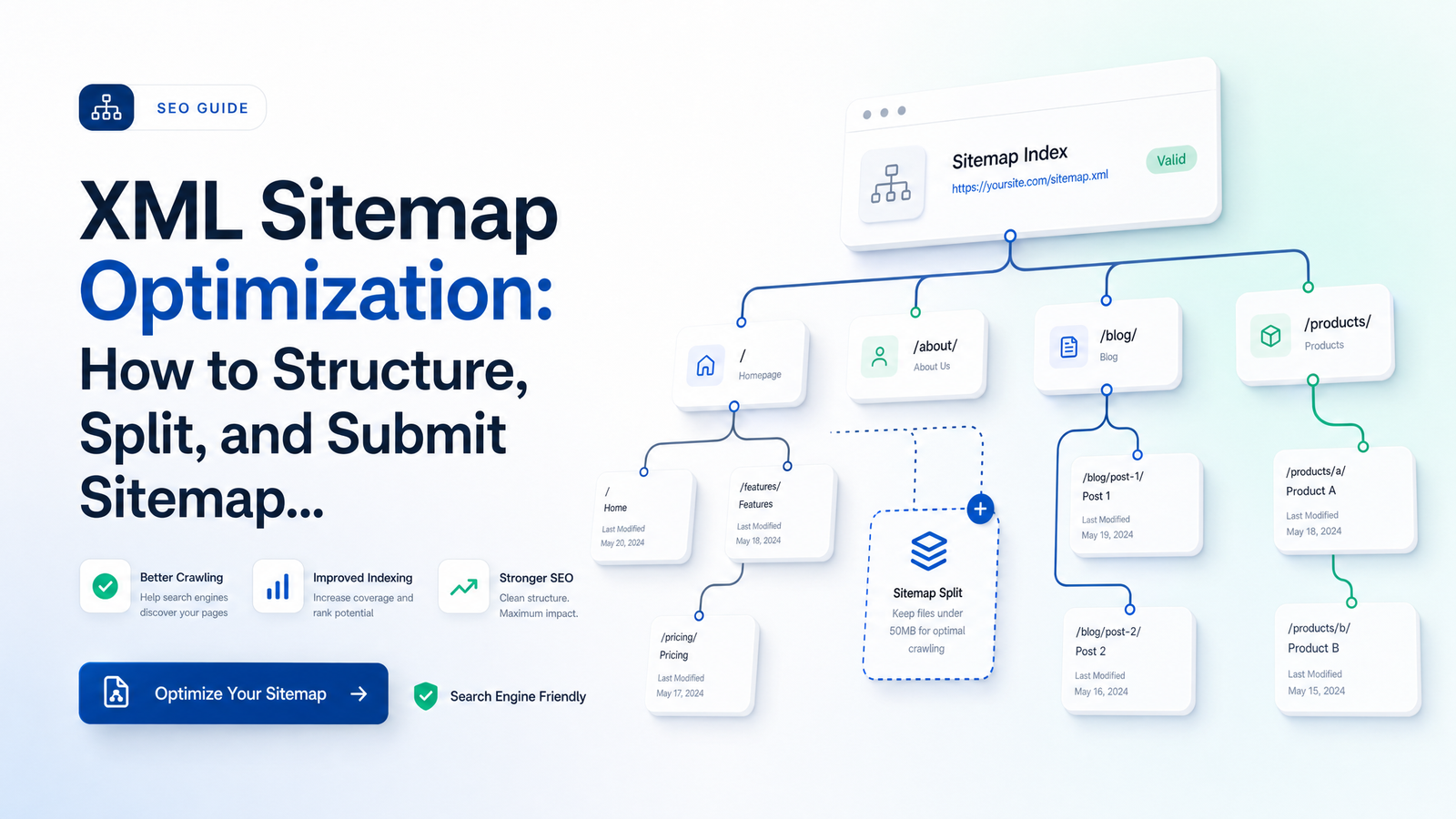
What XML Sitemap Optimization Actually Controls (and What It Doesn't)
Most sitemap advice still reads like a paraphrase of the sitemaps.org spec: here's the XML schema, here's how to add tags, done. That framing misses what actually matters in 2026. XML sitemap optimization isn't about ticking a compliance box — it's about protecting the trust Googlebot places in every signal you send it.
Google is explicit: submitting a sitemap is a hint, not a command. Google's documentation on building and submitting a sitemap states that a sitemap tells Google which pages you consider important and when they last changed — it does not force crawling, and it does not guarantee sitemap indexing or ranking improvements. A sitemap can accelerate discovery of new or updated URLs, especially on large or poorly linked sites, but it has no power to override crawl priority decisions Google makes based on other signals.
Once you accept that a sitemap is a hint mechanism, the real question changes. It's no longer "how do I get Google to index everything in my sitemap?" It's "how do I make sure everything in my sitemap is honest enough that Google keeps trusting it?" Sloppy sitemaps don't just fail to help — they actively teach Googlebot to discount your data, and that discount doesn't stay confined to the bad entries.
The Rules That Still Matter: Limits, Clean URLs, and Honest lastmod
Start with the hard limits. A single sitemap file is capped at 50,000 URLs and 50MB uncompressed. Hit either ceiling and you need a second file — there's no partial-credit version of this rule. These limits haven't changed in years and Google's documentation confirms them as current.
The sitemap URL limit matters less than what actually belongs inside it, though. A clean sitemap entry needs to satisfy three conditions simultaneously:
- Canonical — it's the URL you want indexed, not a variant with tracking parameters, a trailing-slash duplicate, or a paginated alternate. If your canonicalization logic is inconsistent, sitemap cleanliness is impossible to sustain; the detailed failure modes are worth a separate read in canonical tag troubleshooting.
- Indexable — no noindex directive, no robots.txt block, no orphaned page waiting on a redirect chain.
- Returning a 200 status — not a 301, 302, 404, or 410. Redirected and dead URLs in a sitemap are one of the most common ways self-managed sites quietly leak crawl budget on pages that will never resolve to anything worth indexing.
Every URL that fails one of these three checks is crawl budget spent confirming something Google didn't need confirmed. On large sites, that adds up.
Then there's the metadata inside each entry. priority and changefreq are dead weight — Google has said for years it ignores both, so treating them as levers is wasted effort better spent elsewhere. lastmod, by contrast, is very much alive, but only if used honestly. The instinct to stamp every URL with the current date on every build feels safe. It isn't. Google's guidance is direct: if lastmod is inaccurate or updated without a real content change, Google will start ignoring the field — not just for the one inflated URL, but as a pattern across the whole file. Once Google decides your lastmod values are noise, it stops using them to prioritize recrawls anywhere in that sitemap, erasing one of the few genuinely useful signals you still control. Accurate lastmod values, updated only when a page's meaningful content actually changes, are what keep the tag functional as a recrawl-priority hint.
How to Split a Sitemap: When and By What Logic
Not every site needs a sitemap index. If your total URL count sits comfortably under 50,000 and the file stays well below 50MB, a single sitemap file is simpler to maintain and easier to audit. Splitting introduces complexity you don't need yet.
The threshold for needing to split — and to wrap multiple files under a sitemap index file — is straightforward: you're approaching either hard limit, or your site has structurally distinct URL sets that benefit from being tracked separately. A sitemap index is a pointer file listing your individual sitemaps, letting Google (and you) manage each segment independently.
Once you're splitting, the question becomes what logic to use. A few strategies dominate for good reason:
- By content type or section. A blog gets its own sitemap, product pages get another, static/marketing pages a third. This is the default for most content-driven sites because it maps cleanly to how you'd diagnose problems later — if the blog sitemap is full of stale entries, you know exactly where to look.
- By date. Common for publishers and blogs with deep archives. Sitemaps split into yearly or monthly buckets make it easy to isolate recrawl issues on old content versus recently published posts.
- By ID range. The standard approach for large e-commerce catalogs or programmatic page sets — product-1 through product-50000 in one file, the next range in another. This keeps each file's scope predictable as the catalog grows.
Multi-location businesses often combine content-type and ID-range logic: one sitemap per location cluster, sized to stay well under the URL cap. Programmatic SEO sites (large numbers of templated pages) should lean on ID-range or category splitting so that if Google deprioritizes one segment, you can tell which template or generation batch is underperforming rather than guessing across the whole domain.
Whatever logic you choose, keep it stable. Sitemap splitting that changes shape every few months makes trend analysis in Search Console useless.
Submitting Your Sitemap the Right Way in 2026
The ping endpoint — https://www.google.com/ping?sitemap=... — is gone. Google confirmed its deprecation in a Search Central blog post, and many CMS plugins built years ago still fire a ping request on every save, silently hitting a dead endpoint and doing nothing. If your workflow depends on that ping firing, it's failing quietly right now.
Two valid paths remain:
- Submit through Google Search Console. Add your sitemap URL under the Sitemaps report and Google will fetch and process it directly. This also gives you visibility into submission errors and indexing status per sitemap.
- Reference the sitemap in robots.txt. Adding a
Sitemap:line pointing to your sitemap index or file lets any crawler — Googlebot included — discover it without a manual submission step. This is more resilient because it doesn't depend on remembering to resubmit.
Run both. They're complementary, not redundant: robots.txt discovery works continuously, while Search Console submission gives you the diagnostic feedback loop. Don't forget Bing Webmaster Tools as a parallel step — Bing has its own crawler and submission interface, and it's a five-minute addition once your sitemap is already clean.
A Quick Sitemap Health Check
Run through this before assuming your sitemap is doing its job:
- Every URL returns a 200 status — no redirects, no 404s, no 410s.
- Every URL is the canonical version, not a parameter variant or duplicate.
- No noindexed or robots.txt-blocked URLs are present.
lastmodreflects real content changes, not the build date.- No sitemap file exceeds 50,000 URLs or 50MB.
- Your sitemap (or sitemap index) is referenced in robots.txt and submitted in Search Console.
- Splitting logic is documented somewhere your team can find it, so it doesn't drift as new sections launch.
This isn't an exhaustive audit checklist, but it catches the mistakes covered above, which account for most of the sitemap damage self-managed sites do to themselves. If you find issues here, they're often symptoms of broader crawlability problems worth prioritizing alongside other fixes — see how to fix technical SEO issues for that wider framework. It's also worth confirming Googlebot is actually acting on what you submit; log file analysis shows you whether sitemap URLs are getting crawled at all.
Keeping Your Sitemap Clean as the Site Grows
A sitemap that passes every check today won't stay clean on its own. New pages get published without being added. Old pages get redirected or noindexed after a content pruning pass, and nobody remembers to pull them out of the sitemap. A migration reshuffles URL structure and the old sitemap keeps referencing paths that no longer exist — a scenario worth planning for explicitly if you're mid-move, per the SEO site migration checklist. Sitemap decay is continuous, not a one-time bug to fix and forget.
Manually re-auditing a sitemap every few weeks doesn't scale once a site has thousands of URLs across multiple sections. This is where automated sitemap monitoring earns its place in the stack: an automated site audit that continuously checks URL inclusion against canonical status, index status, and response codes catches drift the moment it happens, rather than months later when Google has already started discounting your lastmod values. Rankevra's crawl monitoring is built for exactly this — flagging orphaned URLs, stale or suspicious lastmod patterns, and non-canonical entries automatically instead of waiting for a manual re-check. For more on what a tool like this actually inspects, see what a site audit tool checks.
Sitemap hygiene isn't a project with an end date — it's maintenance that has to run continuously alongside publishing, redirects, and noindex changes, or it degrades on a schedule you can't predict. Rankevra automates that monitoring so drift gets caught and fixed before it quietly poisons how Google reads your entire site. Run a free audit to see what your current sitemap is actually telling Google.
Frequently Asked Questions
Does submitting a sitemap guarantee my pages will get indexed faster?
No. Google explicitly treats sitemap submission as a hint, not a command — it can help discovery, especially on large or poorly linked sites, but it doesn't force crawling or guarantee indexing. Indexing decisions still depend on content quality, canonicalization, and overall crawlability.
How many URLs can I put in a single XML sitemap file?
A single sitemap file is limited to 50,000 URLs or 50MB uncompressed, whichever comes first. If you exceed either limit, split the URLs across multiple sitemap files and list them in a sitemap index file.
Do I still need to ping Google when I update my sitemap?
No — the ping endpoint has been deprecated and no longer works, even though some older CMS plugins still try to call it. The two valid ways to notify Google now are submitting the sitemap in Google Search Console and referencing it via a Sitemap: line in robots.txt.
Should I include noindex or redirected URLs in my sitemap?
No. A clean sitemap entry should be canonical, indexable, and return a 200 status; noindexed, redirected, or non-canonical URLs dilute crawl signals and waste crawl budget confirming pages that were never meant to rank.
Does the lastmod tag actually influence how often Google recrawls a page?
Yes, but only if the values are accurate. If lastmod is set to the current date on every build regardless of real changes, Google detects the pattern and starts ignoring the field across the entire sitemap, not just the inflated entries.
How should I split a sitemap for a large e-commerce or blog site?
E-commerce catalogs typically split best by ID range, keeping each file's product set predictable as the catalog grows. Blogs and publishers often split by date or by content section, which makes it easier to isolate recrawl issues in specific archives.
Keep reading
- Pagination SEO in 2026: The Post-rel=next/prev PlaybookPagination SEO after rel=next/prev: how to set canonicals, protect crawl budget, fix infinite scroll, and audit paginated series before rankings leak.
- 7 Robots.txt Mistakes That Silently Kill Your RankingsRobots.txt mistakes don't break your site — they just quietly bleed organic traffic. Learn the 7 silent killers and how to audit your file in 15 minutes.
- SEO Tool Consolidation: The Real Cost-Savings MathSee the real numbers behind SEO tool consolidation — a full TCO model comparing a 5-tool SEO stack against one all-in-one platform.