Rankevra Blog
Faceted Navigation SEO: A Decision Framework, Not a Tactic
August 31, 2026
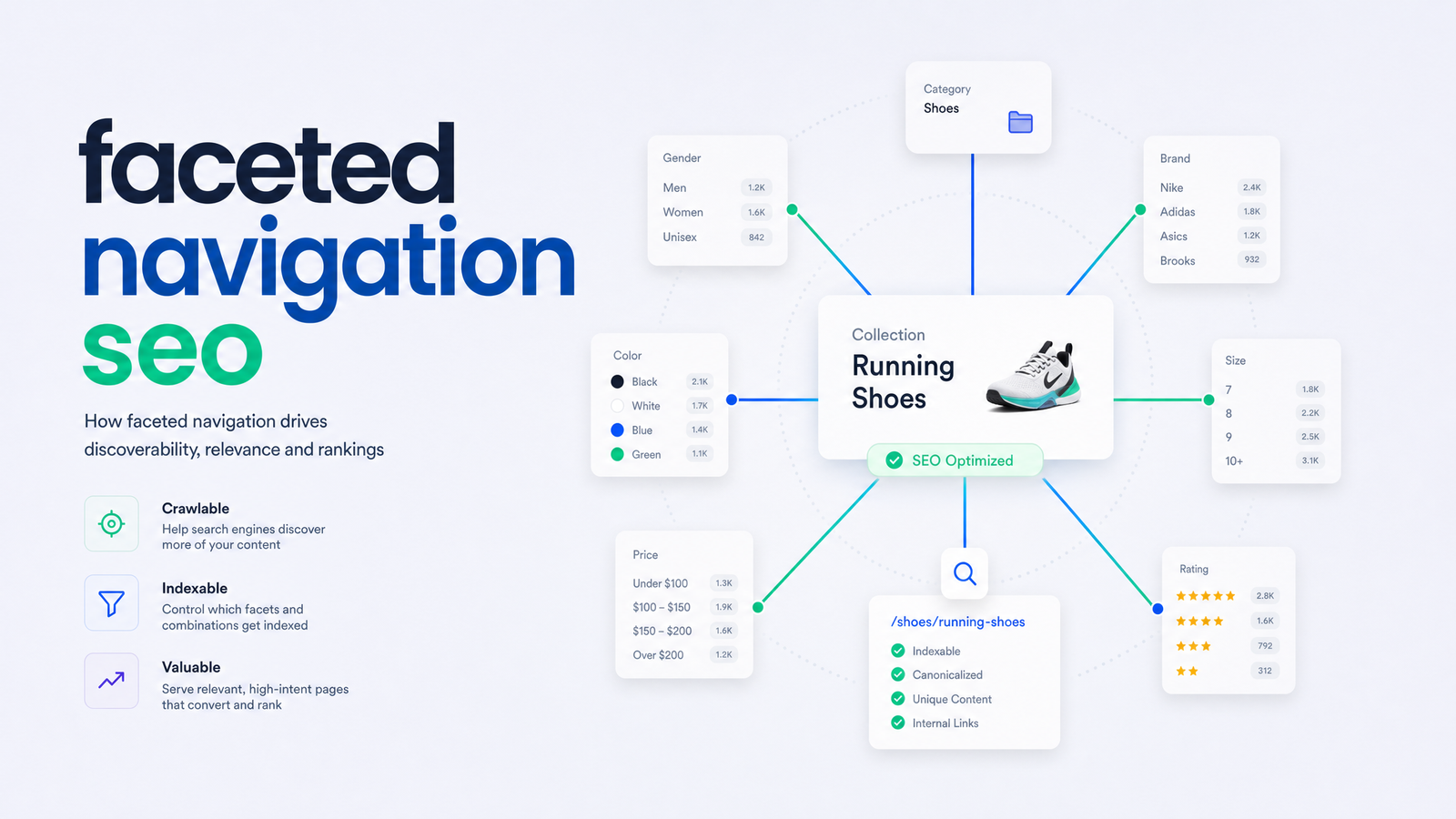
Most faceted navigation advice falls into one of two camps: exhaustive checklists that list every tactic without saying when to use which, or dense agency jargon that never gets to the point. Neither helps when you're staring at 40,000 crawled URLs in Search Console and need to decide, today, which filter combinations to keep and which to kill. This guide gives you one triage question that resolves almost every faceted navigation SEO decision you'll face.
What Faceted Navigation Actually Breaks in SEO
Faceted navigation is the filter-and-sort system on category or catalog pages — filter by color, size, brand, price, sort by newest or lowest price. Each combination typically generates its own URL. On a mid-sized catalog, a few hundred products can turn into hundreds of thousands of crawlable URL combinations.
Google's own documentation on managing faceted navigation crawling is blunt about the consequence: faceted URLs cause "overcrawling," where Googlebot spends disproportionate time fetching near-identical pages instead of discovering new content. That's the core mechanic behind three concrete harms.
First, duplicate content: a "red shoes" page and a "shoes sorted by price, filtered red" page often show the same products in different order, with two URLs competing for one intent and no clear winner.
Second, crawl budget waste: every hour Googlebot spends re-crawling filter permutations is an hour not spent discovering new product lines or blog posts, delaying indexing of pages that actually matter.
Third, diluted ranking signals: when link equity and relevance spread across dozens of near-duplicate URLs instead of consolidating on one canonical version, none ranks as well as a single, well-supported page would.
The One Question That Decides Everything: Does This Filter Have Real Search Demand?
Most faceted navigation guides present indexing, canonicalizing, noindexing, and blocking as four equally valid tactics and leave you to guess. There's a simpler filter: before deciding how to handle any facet combination, ask whether real people search for it.
Not "could someone theoretically search for this," but whether keyword and Search Console data show actual demand for "waterproof hiking boots size 10" as a standalone query, versus "hiking boots sorted by newest," which nobody types into Google.
This single question cuts through the index-everything-vs-block-everything debate. If demand exists and the combination represents a distinct, valuable intent, it earns an indexable URL. If not, it gets canonicalized or blocked, full stop. This is the same logic used in programmatic SEO — turning high-demand, systematically generated pages into deliberate landing pages, rather than letting every URL variation exist by default. Faceted navigation best practices are really about demand-matching at scale, not filter mechanics.
To answer the demand question, pull query data from Search Console, check search volume for the filter-plus-category phrase, and see whether competitors rank distinct pages for that combination. If none of that turns up demand, don't index it, no matter how tidy the URL looks.
The Facet Triage: Index, Canonicalize, Noindex, or Block
Once you've answered the demand question, the handling decision mostly falls out automatically. Four buckets cover nearly every case:
Index — the filter reflects genuine, searched-for intent and deserves its own indexable URL. Brand filters ("Nike") and core category filters ("running shoes") almost always qualify — people search these terms directly, and separate landing pages help you rank for them.
Canonicalize — the combination has some value but overlaps heavily with an existing page. A narrow size variant of an already-indexed category is a good candidate for a canonical tag pointing to the primary version. Canonical tags are a signal, not a directive, and Google can ignore them if the pages aren't genuinely similar enough — worth understanding before you rely on it. Our canonical tag troubleshooting guide covers the failure modes that make canonical tags on faceted URLs stop working.
Noindex — the page should stay crawlable (for UX and internal linking) but shouldn't appear in search results. Multi-filter combinations with thin or zero demand — three or four filters stacked together — are classic noindex candidates, keeping them out of the index without blocking crawl access, which matters if users can still reach them via on-site navigation.
Block — no search or user value at all. Sort-order parameters ("?sort=price_asc"), session IDs, and tracking parameters belong here. These add infinite URL variations with zero unique content and should be kept out of the crawl entirely via robots.txt disallow rules, not just noindex tags, since there's no reason to spend crawl budget fetching them.
Google's Crawling December post on faceted navigation reinforces this split: some parameters are worth surfacing to users and search engines, others exist purely for session state or sorting and should never be crawled at all.
Implementation Details Google Explicitly Recommends
Deciding which bucket a facet belongs in is half the job — implementation determines whether the fix holds. Google's own recommendations, from the two posts above, are specific:
Keep parameter order consistent. If your system can generate ?color=red&size=10 and ?size=10&color=red for the same result, you've doubled your duplicate-content surface for nothing. Enforce one canonical parameter order at the URL-generation level so equivalent filter combinations always produce identical URLs.
Return a real 404 for empty filter combinations. If a shopper filters "red" and "size 4" and nothing matches, don't serve a soft-404 styled page at 200 status — return an actual 404 or 410. Soft 404s waste crawl attention and muddy Search Console's Coverage data.
Use rel=canonical and nofollow cautiously, not by default. Canonical tags are a hint, and internal nofollow links to low-value filters won't reliably stop crawling — Googlebot can still discover those URLs via sitemaps or external links.
Don't rely on URL fragments (the part after a #) to manage filters you don't want crawled. Fragments aren't sent to the server and generally aren't distinguished by Googlebot the way query parameters are, so fragment-based filtering gives no meaningful crawl control.
What Happened to the URL Parameters Tool (and What to Use Instead)
Older faceted navigation advice tells you to configure the Search Console URL Parameters tool to specify how Google should handle each query parameter. That tool no longer exists. Google deprecated the URL Parameters tool in 2022, stating its automated systems had gotten good enough at recognizing parameter patterns without manual configuration.
So faceted navigation Search Console workflows today center on Coverage/Indexing reports for diagnosis, not a parameter-configuration panel for control. The real control points are server-side logic (generate consistent, canonical URLs from the start), robots.txt disallow rules for parameters that should never be crawled, canonical tags for near-duplicate combinations, and noindex meta tags for pages that should stay crawlable but out of the index. If you're still hunting for the URL Parameters tool, stop — it's gone, and no replacement UI does its job. The logic has to live in your site's architecture instead.
How to Audit and Monitor Faceted Navigation Issues
Fixing faceted navigation issues starts with finding them — a two-source job: crawl data and Search Console.
Run a full crawl with a tool like Screaming Frog, filtering results by URLs containing a ?. Group them by parameter name and count unique combinations per category. This tells you the scale of the problem — dozens of extra URLs, or hundreds of thousands?
Cross-reference against Search Console's Coverage (or Indexing) report. Look specifically for "duplicate without user-selected canonical," "crawled — currently not indexed," and "excluded by noindex tag" statuses tied to parameterized URLs. These labels tell you exactly where Google's own systems already disagree with your intended handling — a strong signal something in your triage or implementation needs fixing.
For a deeper read on whether facets are consuming disproportionate crawl budget rather than just appearing in the index, server log analysis settles the question definitively, showing exactly what Googlebot requested, not just what got indexed. Our guide to log file analysis for finding crawl waste walks through that process, and it pairs directly with the facet triage framework above — the kind of prioritization that fits into a broader technical SEO action plan rather than being a one-off fix.
Once you've applied canonical tags, noindex directives, or robots.txt rules, verify the fixes hold. Coverage numbers change slowly, and rankings can shift for reasons unrelated to your facet cleanup. Tracking rankings for core category and brand pages weekly, alongside re-crawling to confirm parameter rules are still respected, is the only way to know a fix actually worked rather than just looking like it did on day one.
This workflow is easy to describe and tedious to run manually every month: crawl for facet URLs, check Search Console coverage, apply the right rule per facet, then track rankings to confirm nothing regressed. A site audit tool that automatically surfaces parameterized URL problems — rather than requiring manual export and cross-referencing of crawl and Search Console data — turns this from a quarterly fire drill into an ongoing check. Rankevra's AI-driven audit and rank-tracking workflow does exactly that: it finds problematic faceted URLs, flags the coverage warnings behind them, and keeps tracking rankings afterward so you know the fix stuck, not just that you applied it.
Frequently Asked Questions
Should faceted navigation pages be indexed by Google?
Only if the specific filter combination has measurable search demand — real query volume for that exact intent, not just theoretical usefulness. High-demand combinations like brand or core category filters generally deserve indexable URLs; low-demand, multi-filter, or sort-order combinations should be canonicalized, noindexed, or blocked instead.
What's the difference between using noindex and canonical tags on filter URLs?
Noindex removes a page from the index entirely while still allowing it to be crawled, suiting pages users need to reach but that add no unique search value. A canonical tag instead tells Google which of two similar pages should be treated as primary — but it's a hint Google can override if the pages aren't similar enough, unlike noindex, which is a directive.
Does robots.txt actually stop Google from indexing faceted URLs?
Robots.txt prevents crawling, not indexing — a blocked URL can still appear in search results (usually with no snippet) if it's linked from elsewhere. For parameters you want fully out of the index, pair blocking with noindex tags before the block takes effect, or rely on noindex alone if the page must remain crawlable.
How do I find out how many faceted URLs Google has crawled on my site?
Check Search Console's Coverage (Indexing) report for parameterized URLs flagged as duplicates, and cross-check with a full site crawl using a tool like Screaming Frog filtered to URLs containing a query string. Server log file analysis gives the most precise picture, showing exactly which faceted URLs Googlebot actually requested.
Can faceted navigation hurt rankings even if the pages aren't indexed?
Yes — even non-indexed faceted URLs consume crawl budget, and heavy overcrawling of low-value parameter combinations can slow Googlebot's discovery of new or updated pages that matter for rankings. The damage isn't limited to the facet pages themselves; it affects how quickly the rest of your site gets crawled and re-indexed.
Is the Google Search Console URL Parameters tool still available?
No, Google deprecated the URL Parameters tool in 2022, stating its automated systems now handle parameter interpretation without manual configuration. Current control points for faceted navigation are server-side URL generation logic, robots.txt rules, canonical tags, and noindex meta tags — not a Search Console configuration panel.
Ready to stop doing this crawl-check-fix-recheck cycle by hand every quarter? Rankevra automates the audit, flags faceted URL problems as they appear, and keeps tracking rankings afterward so you know your fixes are actually working.
Keep reading
- Content Decay SEO: How to Detect It and Fix It for GoodLearn to detect content decay SEO issues early, rule out false positives, and build a refresh pipeline that scales — plus how to automate the whole loop.
- Headless CMS SEO: Fixing the Gaps Generic Tools MissHeadless CMS SEO breaks in three predictable places: rendering, metadata, and sitemaps. Here's the diagnostic framework to find and fix each gap.
- Google Algorithm Update Recovery: A Diagnostic FrameworkA step-by-step google algorithm update recovery framework: confirm the cause, segment the damage, benchmark against winners, and set a real timeline.